What is continuous integration testing? A Fast Guide to Better Software
Discover what is continuous integration testing and how this DevOps practice helps teams catch bugs early, improve quality, and speed software delivery.
Continuous integration testing is all about automating your quality checks. Every time a developer merges new code into the shared repository, a suite of tests automatically kicks off. Think of it as a vigilant, automated gatekeeper for your codebase. It checks every single change to ensure it works as expected before it becomes a permanent part of the software.
The Foundation of Fast Feedback
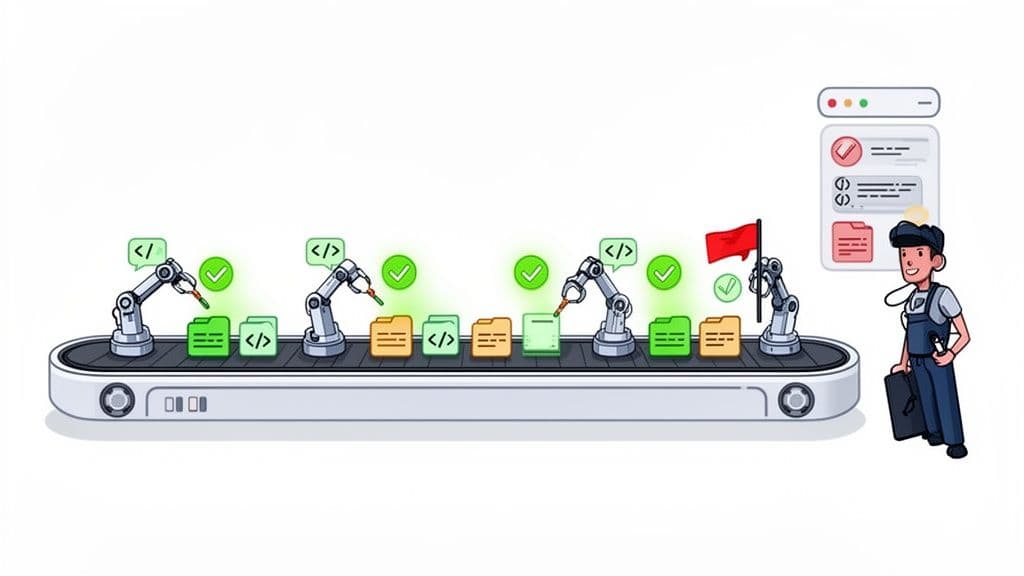
Picture a team of developers all chipping away at different parts of the same app. The old way involved them working in silos for weeks, only to merge everything at once. This usually resulted in a chaotic, bug-filled mess that developers grimly call "merge hell." Continuous integration testing was born specifically to put an end to that nightmare.
Before we get into the nitty-gritty of the tests themselves, it’s important to grasp the core idea of What Is Continuous Integration. At its heart, CI is a simple but powerful practice: developers merge their code changes into a central repository frequently—often several times a day. Each merge triggers an automated build and, crucially, a round of tests.
Why This Approach Works so Well
This constant cycle of merging and testing creates an incredibly tight feedback loop. Instead of finding a critical bug weeks after it was introduced, developers know about it within minutes. This means they can fix the problem while the logic is still fresh in their minds, which slashes the time and cost of debugging.
This approach brings some massive wins:
- Early Bug Detection: You catch problems right after they're introduced, before they have a chance to grow into something bigger and scarier.
- Increased Developer Confidence: When you know a safety net is there to catch mistakes, you feel more empowered to innovate and make changes.
- Improved Code Quality: Running tests constantly and consistently leads to a much more stable and reliable codebase over the long haul.
- Faster Release Cycles: The main branch of your code is always in a potentially shippable state, allowing teams to push new updates to users far more often.
This "shift-left" philosophy, which is all about moving testing earlier in the development process, is more than just a buzzword. It represents a fundamental change in how modern teams build software.
It fosters a culture of quality where everyone, not just a dedicated QA team, takes ownership of the product's stability.
The practice has become the gold standard for a reason. A staggering 89.1% of development teams have now adopted CI/CD practices globally, which has completely changed the game for building and releasing software. Continuous integration testing is the engine that drives this entire process, making frequent, reliable delivery a reality.
For a quick reference, here's a simple breakdown of what continuous integration testing is all about.
Continuous Integration Testing At a Glance
| Concept | Description | Primary Goal |
|---|---|---|
| Trigger | An automated process initiated by a new code commit or merge to the main repository. | Ensure every change is validated immediately. |
| Automation | The pipeline automatically builds the application and runs a predefined suite of tests. | Remove manual effort and human error from the testing process. |
| Feedback Loop | Test results are reported back to the development team almost instantly. | Enable developers to find and fix bugs quickly. |
| Core Principle | "Fail fast." Isolate and fix issues early before they impact the larger codebase. | Maintain a consistently stable and high-quality main branch. |
Ultimately, this table highlights the core mission: to build quality into the development process from the very first line of code, not as an afterthought.
Decoding the Language of CI, CD, and Continuous Testing
In the world of software development, a handful of terms get thrown around that sound almost interchangeable but mean very different things. Getting these definitions straight isn't just about semantics; it's about making sure your team is aligned and building the most effective development pipeline possible.
Let's break down these concepts one by one. Think of it as building a puzzle—each piece represents a specific practice, and they all fit together to create a bigger picture of fast, high-quality software delivery. A solid grasp of automation in DevOps is the thread that connects them all.
Continuous Integration: The Foundation
First up is Continuous Integration (CI). This is the bedrock practice. It’s all about developers merging their code changes into a central repository frequently—ideally, multiple times a day. The whole point is to avoid the dreaded "merge hell" that happens when people work in isolated branches for weeks and then try to combine everything at once.
Every time a developer pushes new code, an automated system kicks in and builds the entire application. This quick check confirms that the new code plays nicely with the existing codebase and doesn't "break the build." CI is the foundational habit that makes all the other cool stuff possible.
Continuous Integration Testing: The Quality Gate
This is where the magic really happens. Continuous Integration Testing is the automated quality check that runs immediately after a successful CI build. It’s the step that answers the all-important question: "Okay, the code builds, but does it actually work?"
Right after the application is compiled, a suite of automated tests springs into action—unit tests, integration tests, maybe even some quick smoke tests. If a single test fails, the build is immediately flagged as broken, and the team gets an alert. This acts as a powerful quality gate, stopping bugs and regressions dead in their tracks before they ever get a chance to pollute the main codebase.
Continuous integration testing is not a separate discipline from CI; it's the enforcement mechanism that gives CI its power. Without automated testing, CI is just frequent merging. With it, CI becomes a system for ensuring constant code health.
Continuous Delivery: The Release Pipeline
So, the code has been merged, built, and tested successfully. What's next? Continuous Delivery (CD). This practice takes over where CI leaves off, automating the process of getting that validated build ready for release. It handles all the tedious steps like packaging the application, configuring it for different environments (like staging), and lining it up for deployment.
The key difference here is that the final push to production is still a manual, push-button decision. CD ensures that every good build is always in a deployable state, meaning you can release to your users with confidence at any time.
Continuous Testing: The Overarching Philosophy
Finally, there's Continuous Testing. This is the biggest concept of the four—less of a single step and more of a guiding philosophy. It’s the idea of embedding automated testing throughout the entire software lifecycle, not just in the CI stage.
This means running tests early and often, from a developer’s local machine all the way through to production. It covers everything from performance and security scans to user acceptance tests. While CI testing is a specific event tied to a code merge, continuous testing is an ongoing process that provides constant feedback on quality and risk at every single stage.
To make these distinctions crystal clear, let's put them side-by-side.
CI vs CI Testing vs CD vs Continuous Testing
This table offers a comparative look at the scope and purpose of these related DevOps practices.
| Practice | Primary Scope | Main Goal | When It Happens |
|---|---|---|---|
| Continuous Integration (CI) | Merging and building code frequently. | To integrate code from multiple developers into a single project seamlessly. | On every code commit/merge to the main branch. |
| CI Testing | Running automated tests on each build. | To validate that new code works correctly and doesn't introduce bugs. | Immediately after a successful CI build. |
| Continuous Delivery (CD) | Preparing validated builds for release. | To ensure every passing build is always ready to be deployed to production. | After CI tests pass successfully. |
| Continuous Testing | Testing throughout the entire lifecycle. | To get continuous feedback on quality and risk at every stage of development. | Continuously, from local development to production. |
As you can see, these practices aren't in competition; they're complementary. They build on one another to create a powerful system for developing, testing, and releasing software quickly and reliably.
Anatomy of a Modern CI Testing Pipeline
A well-oiled continuous integration pipeline isn't just one big, monolithic test. It's a strategic, multi-stage process designed to balance speed with thoroughness. The goal is simple: give developers fast feedback without ever compromising on quality. Each stage acts as a filter, catching different kinds of problems as the code moves along.
This diagram shows how Continuous Integration, Continuous Testing, and Continuous Delivery fit together to create a smooth, automated DevOps workflow.
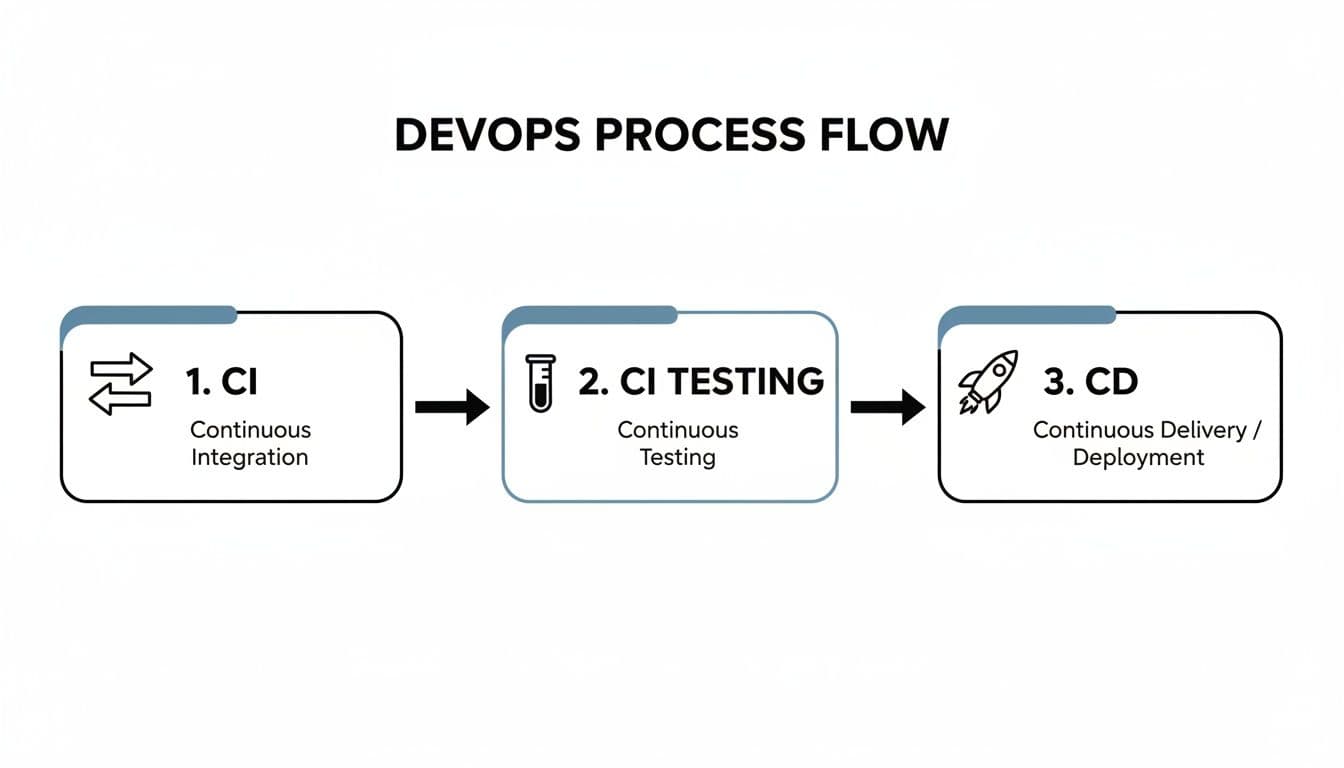
As you can see, automated testing is the critical quality gate that connects the act of merging code with the readiness for deployment.
Stage 1: The Initial Smoke Screen
The moment a developer merges new code, the pipeline roars to life. The very first checks are the fastest ones, designed to give an almost instant pass/fail signal. This initial stage is all about catching obvious, show-stopping errors right away.
Here’s what typically runs in just a few seconds:
- Static Code Analysis: Think of this as a grammar and spell check for your code. Automated tools scan the code for potential problems like syntax errors, style violations, or security vulnerabilities—all without even running it.
- Unit Tests: These are small, laser-focused tests that check individual functions or components in isolation. They’re incredibly fast and can pinpoint exactly where a problem lies, making them the first real line of defense against logic errors.
If any of these initial checks fail, the pipeline stops dead in its tracks. The developer gets immediate feedback, usually within a minute, allowing them to fix the issue while the context is still completely fresh in their mind.
Stage 2: Verifying Module Interactions
Once the code clears the initial checks, it graduates to the next stage, which focuses on how different parts of the application work together. We've moved past testing isolated pieces and are now validating how they collaborate.
Integration tests are the stars of this stage. They verify that different modules, services, or components can communicate and exchange data correctly. For example, an integration test might check if the user authentication service can successfully talk to the database to retrieve user credentials.
These tests take a bit longer to run than unit tests, but they're absolutely essential for finding bugs that only surface when different systems interact with each other.
A successful CI testing pipeline is built like a pyramid. The broad base is made of thousands of fast unit tests, a smaller mid-section contains more complex integration tests, and the narrow peak has a few comprehensive end-to-end tests. This structure optimizes for speed and feedback.
Stage 3: Simulating Real User Behavior
With individual components and their integrations confirmed, the pipeline moves on to the most comprehensive checks of all: end-to-end (E2E) tests. These tests are designed to mimic a real user's journey through the application from start to finish.
A typical E2E test might automate a sequence like this:
- Navigate to the login page.
- Enter valid credentials and click "Log In."
- Land on the user dashboard.
- Add an item to the shopping cart.
- Proceed to checkout and confirm the order.
Because they interact with the full application through the user interface, E2E tests are the slowest and most complex to maintain. But they are invaluable for catching bugs in critical user workflows that other, more granular tests would completely miss.
The Role of Specialized Tests
Woven into these stages are other crucial test types that serve specific purposes. API tests, for instance, directly hit the application's endpoints to ensure they return the correct data and status codes. This provides a fast, reliable way to test business logic without the overhead of loading the UI.
Then there’s regression testing. Its entire job is to ensure that new code changes haven’t accidentally broken existing features that used to work perfectly. To dive deeper into this vital practice, check out our guide on regression testing best practices. This suite of tests grows over time, acting as a historical safety net for your application's stability.
In a modern setup, every single code commit triggers this hierarchy of automated tests. The fastest unit tests run in seconds, while API and smoke tests provide feedback within 5-10 minutes. More thorough integration tests might take 15-30 minutes, with the full end-to-end and performance suites wrapping up in under an hour.
This layered approach is incredibly effective, reducing debugging time by up to 50% by catching defects early. This strategic sequencing ensures the most common errors are found instantly, reserving the slower, more resource-intensive tests for builds that have already passed the initial quality gates.
Building a Reliable and Efficient CI Testing Strategy
A CI testing pipeline can be a developer's best friend or their worst enemy. When it’s working well, it’s a game-changer. But a slow, flaky, or unreliable pipeline quickly becomes a bottleneck that developers just learn to ignore. The real goal here is to build a system that gives you fast, trustworthy feedback, making development faster, not dragging it to a halt.
To get there, you need a solid foundation of well-written tests. Every single test should be atomic and independent—meaning it can run all by itself, without depending on the outcome of another test. This is critical for preventing a single minor bug from triggering a massive cascade of unrelated test failures, which is an absolute nightmare to debug.
Prioritize Speed and Fast Feedback
The magic of CI testing is that quick feedback loop. If a developer has to wait an hour to see if their change broke the build, the magic is gone. You lose all the momentum. To keep things zipping along, you have to be smart about how you structure your pipeline.
This means running your fastest tests first. Simple stuff like unit tests and static analysis should give you a pass or fail signal in under a minute. From there, you can move on to more complex integration and API tests. The slowest, most comprehensive end-to-end tests should always run last. This layered approach ensures that obvious mistakes are caught right away, saving everyone a ton of time and resources.
Another key trick for speed is parallelization. Instead of running tests one after another in a long, slow line, you can set up your CI server to run many tests at the same time across different machines or containers. For a big test suite, this can be the difference between a one-hour wait and a five-minute one. That's a huge productivity win.
Treat Test Code Like Production Code
Your test suite is a mission-critical asset, and it deserves the same care and attention as your application code. One of the most common mistakes I see teams make is letting their test code turn into a neglected mess, which inevitably leads to an unreliable pipeline. You absolutely have to apply professional software engineering practices to your tests.
This means a few things:
- Code Reviews: Every new test or change to an existing one should go through a peer review. This simple step helps catch bugs in the tests themselves and makes sure they are clear, concise, and actually doing what you think they are.
- Refactoring: Just like application code, test code gets messy over time. You need to refactor it regularly to improve readability, get rid of duplication, and keep it in sync with changes in the application.
- Version Control: Your tests belong in the same repository as your application code. No exceptions. This guarantees they stay in sync and that every code change comes with its corresponding tests.
A flaky test—one that passes sometimes and fails others without any code changes—is worse than no test at all. It destroys trust in the entire pipeline, leading developers to ignore real failures. You have to hunt down and fix or remove flaky tests with a vengeance.
Use Realistic and Clean Test Data
The data you feed your tests can make or break their reliability. Using a clean, known set of test data for every single run is the only way to ensure your tests are deterministic and repeatable. If your tests are hitting a "live" database that other people or processes can change, you're going to get failures that have nothing to do with the code you're actually testing.
At the same time, your test data needs to be realistic enough to mimic real-world scenarios. Using simplistic "foo" and "bar" data everywhere won't help you catch subtle bugs related to data formatting, edge cases, or volume. A well-curated dataset is a cornerstone of any dependable testing strategy. For more hands-on advice, we've put together a comprehensive guide on automated testing best practices.
The strategic importance of getting this right is clear in market trends. The continuous integration tools sector is forecasted to grow at a 22.2% CAGR as more teams invest heavily in building reliable, automated pipelines. You can find more details about this market growth on datainsightsmarket.com. This level of investment highlights a simple truth: a trustworthy CI testing strategy isn't just a nice-to-have; it's a real competitive advantage.
How to Debug CI Failures and Shrink Triage Time
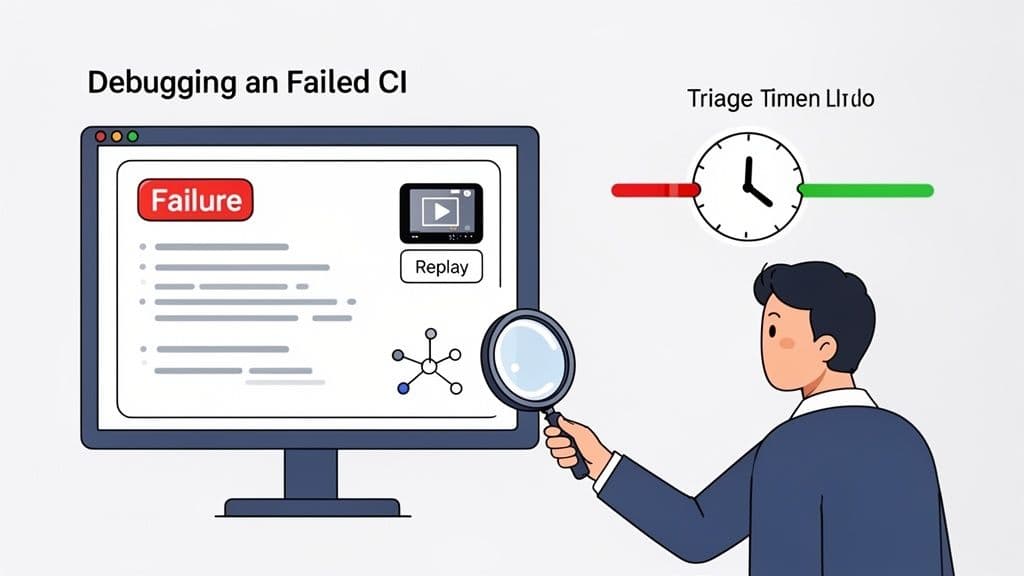
Let's be honest, even the most dialed-in CI pipeline is going to fail sometimes. A red build isn't the problem—in fact, it means your safety net is working. The real headache, and where the hours mysteriously disappear, is when a developer has to figure out why it broke.
Nothing kills productivity faster than a developer spending half their day trying to reproduce a bug that only ever happens in a headless CI environment. It's the classic "well, it works on my machine" nightmare, and it brings meaningful work to a dead stop.
The goal isn't to build a pipeline that never fails. It's to build one where you can diagnose and fix those failures in minutes, not hours. But to do that, you have to move beyond the old ways of debugging.
Moving Beyond Text Logs
The first step is admitting that text logs alone just don't cut it anymore. They’re essential, of course, but they rarely tell the whole story. A log might tell you a test timed out waiting for an element, but it leaves you guessing about the why. Was there a hidden JavaScript error? Did a crucial API call hang? Maybe a cookie consent banner popped up and blocked the button.
To get to the root cause quickly, you need the full context. You need a complete, multi-layered recording of exactly what happened during that failed test run.
This perfect bug report should automatically capture three critical streams of information:
- Console and Network Logs: This is the raw technical evidence. Console logs surface any client-side errors and warnings, while network logs give you a complete picture of all API requests and their responses. Being able to inspect these is non-negotiable, and learning to interpret HAR files is a great skill for deep-diving into network issues.
- User Interaction Steps: You need a precise, step-by-step transcript of every single click, keystroke, and page navigation the test runner performed. This removes all the guesswork about what the test was trying to do right before it failed.
- Visual Playback: A video recording of the test session is the ultimate source of truth. It lets a developer see the UI exactly as the test runner saw it, making visual bugs and other unexpected behavior immediately obvious.
Imagine getting a ticket for a failed build that already includes all three. That's how modern teams debug CI failures.
The Power of Session Replay in CI
This is where session replay technology completely changes the game for debugging CI tests. Modern tools like Monito plug directly into your CI pipeline and automatically capture this rich context for every single test run—pass or fail.
When a test goes red, Monito doesn’t just report the failure. It hands you an interactive report containing a replay of the bug happening, a full list of user actions, and all the corresponding console and network logs. The whole "can you reproduce this?" dance becomes obsolete. Runs without a login include video; logged-in runs get a masked checkpoint replay.
The single biggest waste of developer time is trying to reproduce an intermittent bug from an incomplete report. Capturing the full context of a CI failure turns a multi-hour investigation into a five-minute fix.
A developer can just open the report, watch the replay of the exact moment things went wrong, and pinpoint the specific network request or console error that caused it. This transforms debugging from a frustrating guessing game into a straightforward process of observation.
Common CI Failures and How to Spot Them Faster
With the right context, you can instantly recognize common failure patterns that are notoriously painful to track down with logs alone.
| Common Failure Type | Traditional Debugging Pain | Fast Diagnosis with Session Replay |
|---|---|---|
| Flaky Tests | Running the test dozens of times locally, hoping to get lucky and see the intermittent failure. | Watching a session replay of the exact moment the test failed due to an animation timing out or an element loading too slowly. |
| Environment Mismatch | Tediously comparing CI environment variables and configurations line-by-line with a local setup. | Seeing a 404 error in the network log for an API endpoint that was misconfigured in the CI environment but works fine locally. |
| UI Rendering Bugs | Staring at a "selector not found" error and guessing why an element wasn't clickable. | Viewing the screen recording and seeing that a CSS bug caused one element to overlap another, physically blocking the click. |
| Race Conditions | Trying to simulate complex asynchronous operations and timing issues on your own machine. | Spotting two network requests in the log that returned in a different order than expected, which put the UI into a broken state. |
By capturing the complete context of every failure, you empower your developers to understand the problem instantly. This shrinks the feedback loop from hours to minutes, keeps your team focused on shipping features, and makes your CI pipeline a true accelerator instead of a frustrating bottleneck.
The True Business Impact of Effective CI Testing
Let's zoom out from the technical weeds for a moment. Beyond just catching bugs, a solid continuous integration testing practice has a direct and powerful impact on the business itself. It’s not just a developer-centric workflow; it’s a strategic decision that fundamentally changes how you build and ship software. Think of it as moving quality control from a single, expensive checkpoint at the end of the assembly line to a series of automated checks all the way through.
When you consistently find issues minutes after the code is written, you slash development costs. A bug caught early is exponentially cheaper to fix than one that makes its way into production and gets reported by a customer. This simple shift in timing frees up your most valuable resource—your developers' time—to build new features instead of constantly looking in the rearview mirror.
From Code Confidence to Market Speed
A fast and reliable CI pipeline builds something intangible but incredibly valuable: confidence. When your development team trusts that their automated tests are a reliable safety net, they can push new features and updates much faster.
This speed isn't just about efficiency; it's a massive competitive advantage. You can react to market feedback, launch new products, and deliver value to your users far more quickly than the competition. That confidence also boosts team morale. Nobody enjoys the anxiety of a big, risky release or the drudgery of manual testing.
Ultimately, continuous integration testing isn't just a technical practice. It’s a business investment that pays dividends in innovation, product quality, and a more resilient engineering culture that can actually drive growth.
This all translates into some very tangible business outcomes:
- Lower Development Costs: You spend far less time and money on manual regression testing and late-stage debugging.
- Faster Time-to-Market: Teams can release new features with speed and confidence, knowing they have an automated safety net.
- Improved Customer Satisfaction: A higher-quality, more stable product means fewer bugs and happier users.
- Enhanced Team Productivity: Automating the tedious, repetitive testing tasks lets your developers focus on the creative work they were hired to do.
Got Questions About CI Testing? We’ve Got Answers.
Even after you've got the basics down, you're bound to run into some specific questions as you implement your CI testing strategy. Let's tackle some of the most common ones that pop up in engineering teams.
What's the Real Difference Between Unit and Integration Tests?
Think of it like building a car.
A unit test is like checking a single spark plug to make sure it fires correctly on its own. It's super focused, incredibly fast, and confirms one tiny piece of the engine works exactly as designed. You'll have thousands of these.
An integration test, on the other hand, is like putting all the engine components together and turning the key. You're not just checking the spark plug anymore; you're making sure it fires at the right time with the pistons, fuel injector, and everything else. It tests how different parts collaborate.
How Often Should We Be Running CI Tests?
The simple answer? All the time. Every single commit should trigger your CI pipeline.
The whole point of "continuous" integration is to get immediate feedback on every small change. This tight feedback loop is what helps you catch bugs the moment they're introduced, rather than weeks later when they're buried under a mountain of new code.
Why Do My Tests Pass Locally but Fail in CI?
Ah, the classic "it works on my machine" headache. This is one of the most frustrating problems in software development, and it almost always comes down to one of a few culprits:
- Environment Drift: Your CI server is its own machine. It might have a slightly different version of a library, a missing environment variable, or a different operating system configuration than your laptop.
- Data Differences: The database in your CI environment is probably clean and sterile, while your local one might have data you've been using for days. A test might pass locally because it relies on that data, but fail in CI where the data doesn't exist.
- Timing and Race Conditions: CI servers often run tests in a "headless" browser (one without a visual interface), which can behave differently. This can expose tricky timing issues that you'd never see on your own screen.
The pipeline is the source of truth. If a test fails in CI, you have to assume the pipeline is right and your local machine is wrong. This mindset is key to maintaining a high-quality codebase.
Is It Possible to Run UI Tests in a CI Pipeline?
You bet. Running end-to-end UI tests in CI is not just possible, it's a best practice for catching user-facing bugs. But there's a catch.
Since CI servers don't have monitors, your tests need to run in a headless browser. This can sometimes be a black box—when a test fails, you can't see what the browser was doing. That’s why having tools that can record video, capture console logs, and snapshot network activity from these headless runs is an absolute game-changer for debugging.
A red build is an opportunity, but only if you can diagnose it quickly. Monito eliminates the guesswork by capturing the complete context of every failed test—including session replay, console logs, and network activity. Stop wasting hours trying to reproduce bugs and start fixing them in minutes. Learn how Monito can shrink your triage time.