10 Essential Regression Testing Best Practices for 2026
Discover 10 actionable regression testing best practices for 2026. Improve your test selection, automation, CI/CD integration, and bug triage today.
In the world of continuous delivery, every new feature and bug fix carries a hidden risk: the chance it will break something that once worked perfectly. This is a regression, and it's the silent saboteur of software quality and user trust. A solid regression testing strategy isn't just a safety net; it's a core discipline that enables development teams to ship faster and with greater confidence. Without it, you're flying blind with every deployment.
Many teams struggle with slow, flaky, and incomplete regression suites that become a bottleneck. They spend more time maintaining tests than building features, or worse, they let critical regressions slip into production, damaging their reputation and frustrating users. Effective regression testing is the difference between a reliable product and one that constantly introduces new problems while solving old ones. The goal is to create a process that is both comprehensive and efficient, ensuring stability without slowing down innovation.
This guide moves beyond generic advice to offer 10 battle-tested, actionable regression testing best practices. We will cover everything from strategic automation and risk-based prioritization to advanced test data management and aggressive flaky test handling. Each practice is designed to be implemented directly into your workflow. By adopting these strategies, you will build a robust, efficient, and reliable regression testing process that catches bugs before your users do, safeguarding your application's stability with every release.
1. Automate Regression Test Suites with CI/CD Integration
The most impactful of all regression testing best practices is embedding your test suite directly into a Continuous Integration/Continuous Deployment (CI/CD) pipeline. This approach transforms regression testing from a periodic, manual chore into an automated, continuous quality gate. By integrating tests into the CI/CD workflow, every code commit automatically triggers a build and a run of the regression suite, providing immediate feedback to developers on whether their changes have broken existing functionality.
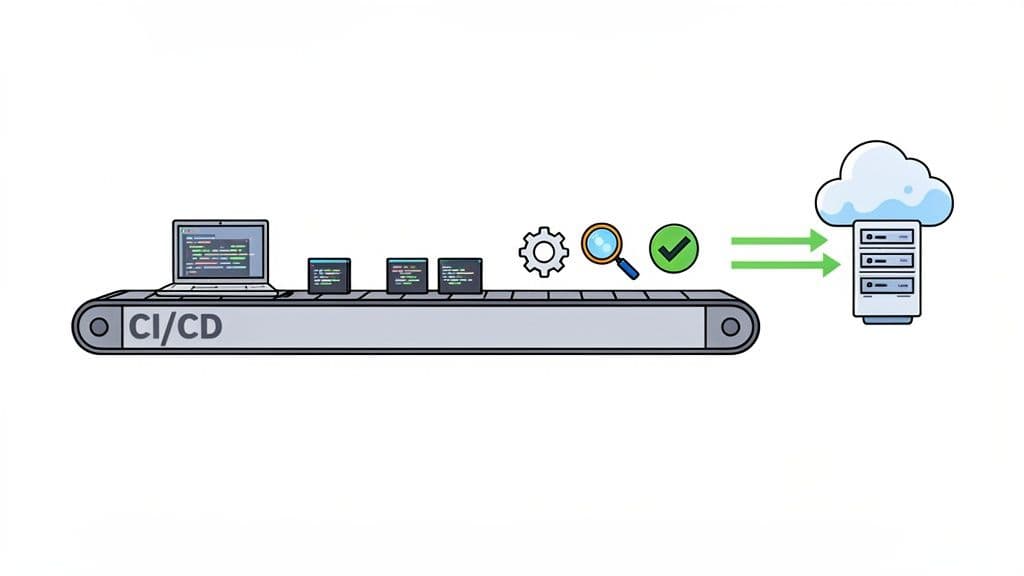
This method ensures that regressions are caught moments after they are introduced, dramatically reducing the cost and effort of fixing them. Companies like Netflix and Spotify rely heavily on this practice to maintain high quality across diverse platforms and millions of active users, validating new code against a robust set of automated checks before it ever reaches production. For a comprehensive approach to efficiently automating your regression tests, it's beneficial to explore these automated testing best practices.
Actionable Implementation Tips
To effectively integrate automated regression testing into your pipeline, consider these strategies:
- Prioritize Critical Paths: Don't try to automate everything at once. Start by scripting tests for the most critical user journeys and high-impact features. This ensures you get the most value early on.
- Use Scalable Test Design: Implement design patterns like the Page Object Model (POM) to create tests that are more resilient to UI changes, which significantly reduces long-term maintenance overhead.
- Run Tests in Parallel: Configure your CI/CD tool (e.g., Jenkins, GitHub Actions, CircleCI) to execute tests in parallel. This can slash execution time from many minutes down to just a few, tightening the feedback loop for developers.
- Leverage Cross-Browser Testing: Use cloud-based services like BrowserStack or Sauce Labs to run your regression suite across various browsers, devices, and screen sizes simultaneously, ensuring broad application compatibility.
By making automated regression testing an integral part of your development process, you shift from reactive bug-fixing to proactive quality assurance. To delve deeper into this area, explore these detailed automated testing strategies.
2. Establish Clear Test Data Management and Environment Parity
A common source of unreliable test results is a mismatch between testing and production environments. This best practice centers on two critical components: maintaining consistent, predictable test data and ensuring your testing environment mirrors production as closely as possible. When environments differ, tests can fail due to configuration drift or pass while missing bugs that only appear in production, leading to false negatives and a loss of confidence in your regression suite.
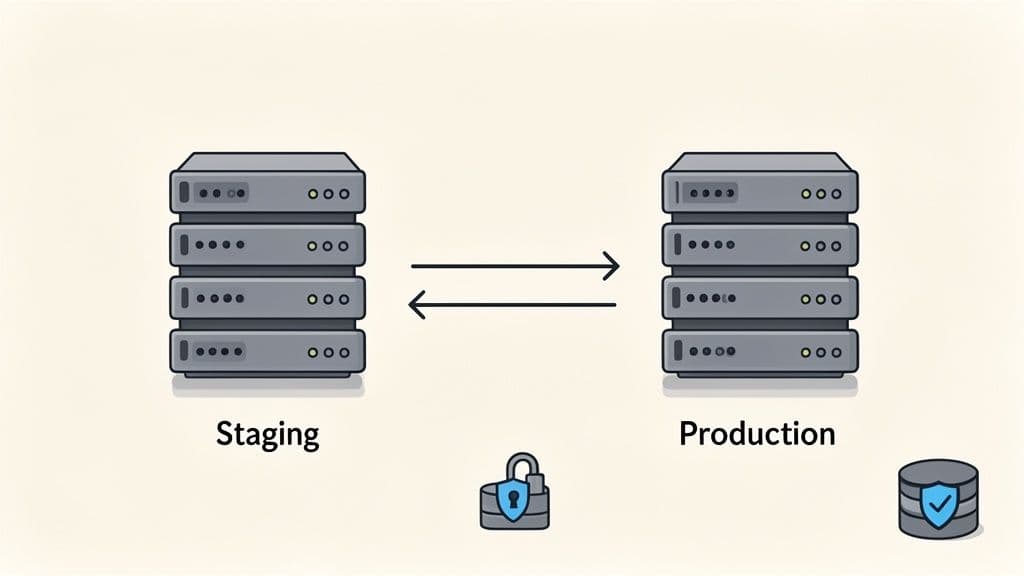
This discipline ensures that your regression tests accurately predict real-world application behavior. Companies like Amazon and Shopify champion this approach by maintaining staging environments that are identical to production and implementing automated data seeding to guarantee consistency. By eliminating environmental variables, teams can be confident that a failed test signals a genuine code regression, not an infrastructure quirk.
Actionable Implementation Tips
To achieve robust environment and data management, focus on these strategies:
- Use Containerization: Leverage tools like Docker to containerize your application and its dependencies. This encapsulates the environment, ensuring it runs identically on a developer’s machine, in the CI pipeline, and in production.
- Implement Infrastructure-as-Code (IaC): Use tools like Terraform or AWS CloudFormation to define and manage your infrastructure programmatically. This allows you to spin up identical, version-controlled testing environments on demand.
- Create a Database Snapshot Strategy: For consistent test data, create a baseline database snapshot that can be restored before each regression run. This ensures every test starts from a known, clean state, preventing test interdependencies.
- Document Environment Configurations: Maintain clear documentation for all environment-specific configurations, service endpoints, and dependencies. This transparency helps debug environment-related issues quickly.
- Isolate Test Data: Design and use separate, dedicated data sets for different test scenarios (e.g., new user, admin user, user with no permissions). This prevents tests from interfering with each other's data.
3. Implement Risk-Based Test Prioritization
Not all tests carry equal weight. A critical regression testing best practice is to implement a risk-based approach, which prioritizes test cases based on business impact and the probability of failure. Instead of treating the entire regression suite as a monolithic block to be executed, this strategy focuses the most intensive testing efforts on high-risk areas like payment gateways, authentication flows, or core business logic, ensuring that the most critical functionality is always stable.
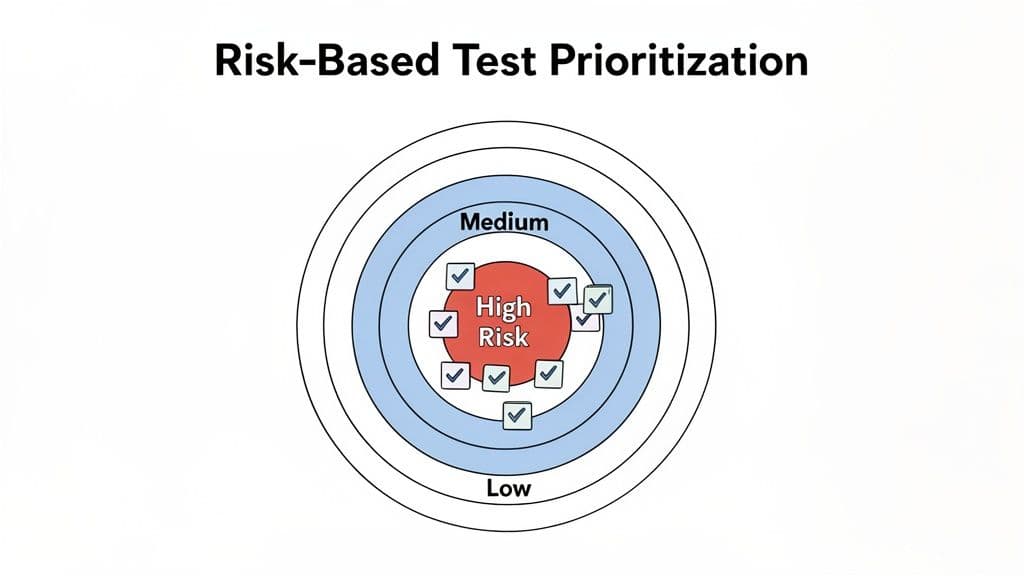
This method delivers a more intelligent and efficient use of limited testing resources, reducing execution time and providing faster feedback without sacrificing quality where it matters most. For instance, Uber concentrates its most rigorous regression tests on its payment and geolocation services, while Google applies this principle to its core search algorithms. By focusing on areas that pose the greatest risk to revenue and user trust, these companies can deploy changes more confidently and quickly. This concept is a cornerstone of the Context-Driven Testing movement championed by thought leaders like James Bach and Michael Bolton.
Actionable Implementation Tips
To apply risk-based prioritization to your regression testing strategy, consider these practical steps:
- Analyze Historical Data: Use historical bug reports and production incident data to identify which modules or features are most prone to defects. These "hot spots" are prime candidates for high-priority regression testing.
- Combine Usage Analytics: Integrate product analytics data to understand which features are most heavily used by your customers. High-traffic user journeys should be considered high-risk, as any failure will have a widespread impact.
- Tag and Categorize Tests: Implement a tagging system in your test management tool to label tests with risk levels (e.g., High, Medium, Low). This allows you to create flexible test suites that can be executed based on the context of a release or time constraints.
- Reassess Risk Periodically: Risk is not static. Schedule regular reviews, perhaps quarterly, to reassess the risk profile of your application as new features are added, old ones are deprecated, and user behavior evolves.
4. Use Browser and Device Matrix Testing for Comprehensive Coverage
One of the most critical regression testing best practices for modern web applications is performing comprehensive matrix testing across various browsers, devices, and operating systems. This strategy addresses the reality that users access applications from an increasingly fragmented ecosystem. A feature that works perfectly on the latest version of Chrome on macOS might break on Safari on an older iPhone, creating a regression that impacts a specific user segment. Matrix testing ensures a consistent and high-quality user experience for everyone, regardless of their technology stack.
This approach systematically validates application functionality against a predefined matrix of environments. Companies with a global user base, such as Airbnb, rely on this method to test across dozens of browser and device combinations, ensuring their platform is reliable for travelers and hosts worldwide. Similarly, Figma extensively tests its collaborative design tool across Mac, Windows, and various browsers to guarantee that cross-platform functionality remains seamless after every update. This practice is essential for preventing platform-specific regressions that can alienate users and damage brand reputation.
Actionable Implementation Tips
To implement a robust browser and device testing matrix without overwhelming your team, follow these focused steps:
- Start with Analytics: Prioritize your matrix based on real user data. Analyze your application's analytics to identify the most popular browsers, operating systems, and device types among your audience. Focus your initial efforts there.
- Define Your Support Tiers: Classify browsers and devices into tiers. For example, "Tier 1" could be the latest versions of Chrome and Safari where all features must be flawless. "Tier 2" might be older versions or less common browsers that require only critical path functionality to work.
- Leverage Visual Regression Testing: Use automated tools like Percy or Applitools to automatically detect unintended UI changes across different environments. These tools capture screenshots and compare them against a baseline, highlighting pixel-level differences that manual testing would miss.
- Parallelize Test Execution: To manage the long execution times associated with running tests across many environments, use cloud-based platforms like BrowserStack or Sauce Labs. These services allow you to run your regression suite in parallel across hundreds of real device and browser combinations, drastically reducing feedback time.
5. Create Robust, Maintainable Test Automation Code
Effective regression testing isn't just about what you test; it's also about how you write your test code. One of the most critical regression testing best practices is to build a test suite that is modular, maintainable, and resilient to application changes. Poorly written test code quickly becomes a maintenance nightmare, leading to brittle tests that fail with minor UI tweaks and eventually get abandoned. Well-structured code, on the other hand, reduces this burden and ensures your regression suite remains a valuable asset.
This approach involves applying proven software engineering principles to your test automation code. Frameworks and communities like Selenium, Cypress, and Playwright have long advocated for design patterns that separate test logic from the application's implementation details. By creating this layer of abstraction, tests become easier to read, debug, and update, ensuring they accurately validate business logic rather than just the underlying HTML structure. This dramatically improves the long-term ROI of your automation efforts.
Actionable Implementation Tips
To build a high-quality, maintainable test automation framework, focus on these strategies:
- Embrace the Page Object Model (POM): Consistently use the POM pattern to encapsulate the web pages or application components as objects. This centralizes UI locators and interactions, so a change in the UI only requires an update in one place, not across dozens of test scripts.
- Separate Test Logic from Test Data: Keep your test data in external files (like JSON, CSV, or YAML) and feed it into your tests. This makes it easy to add new test scenarios without modifying the test logic itself, improving scalability and clarity.
- Use Explicit Waits, Not Fixed Sleeps: Avoid
Thread.sleep()or fixed delays, which lead to flaky and slow tests. Instead, use explicit waits (e.g., Selenium'sWebDriverWait) that pause execution until a specific condition is met, making tests more reliable and efficient. - Create Reusable Utility Methods: Extract common operations like logging in, navigating menus, or handling pop-ups into reusable utility functions. This eliminates code duplication and simplifies the main test scripts, making them more focused on the validation steps.
6. Monitor and Manage Test Flakiness Aggressively
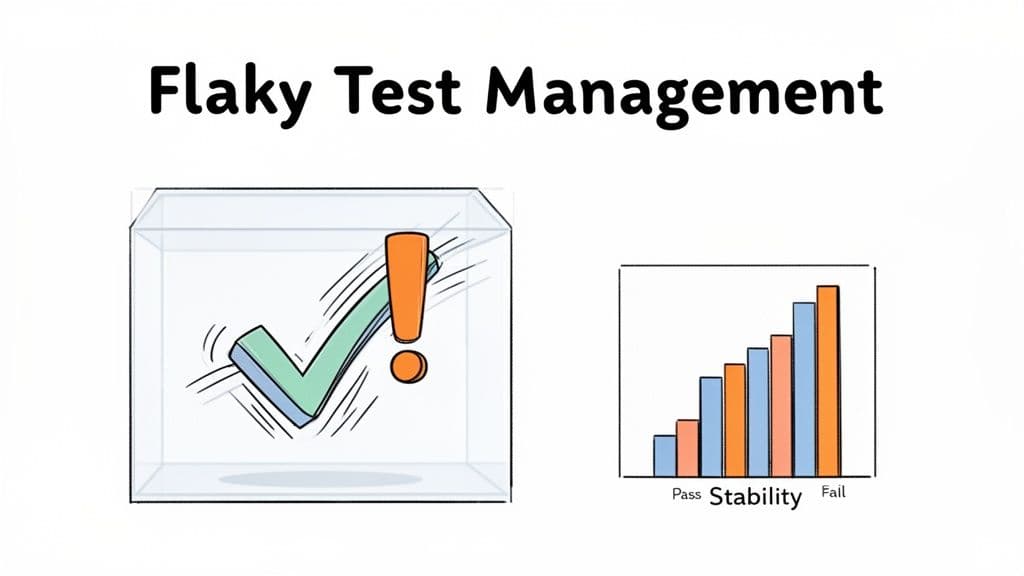
One of the most corrosive problems in any regression testing strategy is the presence of "flaky" tests. These are tests that fail intermittently for reasons unrelated to code changes, such as timing issues, network latency, or inconsistent test environments. Aggressively monitoring and managing test flakiness is a crucial best practice because it preserves the team's trust in the regression suite; a suite full of flaky tests is quickly ignored, allowing real regressions to slip through unnoticed.
When a test fails, developers must have confidence that it has found a genuine bug. Flakiness erodes this confidence, wasting countless hours on investigating false alarms and undermining the entire purpose of automated testing. Tech giants like Google and Facebook have invested heavily in building tools to automatically detect, quarantine, and analyze flaky tests, understanding that a reliable test suite is a non-negotiable component of rapid, high-quality software delivery. Addressing these unstable tests is a key part of the overall quality process, which can be better understood by exploring the complete software bug life cycle.
Actionable Implementation Tips
To effectively manage and eliminate test flakiness, adopt a systematic approach with these strategies:
- Establish a Flakiness Threshold: Define clear criteria for what constitutes a flaky test (e.g., a test that fails more than twice in 10 consecutive runs without code changes). Automatically flag or quarantine tests that cross this threshold.
- Use Explicit Waits, Not Fixed Delays: Replace hard-coded
sleep(5)statements with dynamic, explicit waits that check for a condition to be true (e.g., an element being visible or clickable). This makes tests more resilient to variations in system performance. - Isolate and Analyze Flaky Tests: Create a separate CI/CD job that runs only the quarantined flaky tests repeatedly. This helps reproduce the failure consistently and diagnose the root cause, such as race conditions or external service dependencies.
- Control Test Data and Dependencies: Ensure tests are completely independent and do not rely on the state left by a previously run test. Each test should create its own required data and clean up after itself to prevent unpredictable interactions.
7. Implement Performance Regression Testing
Beyond functional correctness, one of the most critical regression testing best practices is ensuring that new code changes do not degrade application performance. Performance regression testing shifts the focus from "does it work?" to "does it still work fast?" It involves systematically measuring key performance indicators (KPIs) like load times, API response latency, and resource consumption to catch slowdowns before they impact users. By establishing performance baselines and testing against them, you can prevent the gradual erosion of user experience that often accompanies rapid development cycles.
This proactive approach is essential in today's market, where user tolerance for slow applications is extremely low. Tech giants like Amazon famously found that every 100 milliseconds of latency cost them 1% in sales, while Google incorporates Core Web Vitals directly into its search ranking algorithm. Integrating performance checks into your regression suite ensures that your application remains fast and responsive, directly protecting user satisfaction and business revenue.
Actionable Implementation Tips
To effectively integrate performance regression testing into your quality assurance process, consider these strategies:
- Establish Performance Baselines: Identify critical user journeys and run performance tests to establish a baseline. Use tools like Lighthouse, WebPageTest, or k6 to measure metrics like Core Web Vitals (LCP, FID, CLS), API latency, and memory usage under controlled conditions.
- Automate Performance Checks in CI/CD: Incorporate automated performance tests into your CI/CD pipeline. Configure your tools to run these tests on every build or release candidate, allowing you to catch regressions immediately.
- Set Clear Thresholds and Alerts: Define acceptable performance degradation thresholds (e.g., a 10% increase in load time). Configure your monitoring system to automatically create alerts or even fail a build when a metric breaches its defined threshold.
- Monitor Both Frontend and Backend: A complete performance picture requires monitoring both sides. Track frontend rendering metrics and Core Web Vitals while also measuring backend performance, including API response times, database query speed, and CPU utilization.
8. Track Regression Test Metrics and Coverage Reports
You cannot improve what you do not measure. This principle is central to effective regression testing best practices, making the tracking of key metrics and coverage reports essential. By systematically monitoring metrics, teams can gain objective insights into the health of their test suite, identify gaps in their testing strategy, and make data-driven decisions to enhance software quality. This practice transforms regression testing from a simple pass/fail exercise into a strategic tool for risk management and process improvement.
This quantitative approach provides clear visibility into the effectiveness of your testing efforts. Leading tech companies like Google and Stripe have institutionalized this practice, targeting high code coverage percentages for critical components and using these metrics to drive continuous improvement. By establishing a baseline and tracking trends, teams can proactively address degrading test coverage or rising failure rates before they impact users.
Actionable Implementation Tips
To effectively implement metrics and reporting for your regression suite, focus on these key strategies:
- Establish Key Performance Indicators (KPIs): Define and track a core set of metrics, including pass/fail rates, test execution time, defect detection rate (how many bugs the suite catches), and code coverage. Tools like Codecov or SonarQube can automate much of this reporting.
- Focus on Meaningful Coverage: Aim for high branch coverage, which ensures decision points (if/else statements) in your code are tested, rather than just line coverage. Target over 80% coverage for critical user paths, while accepting lower percentages for less crucial utility code.
- Analyze Trends, Not Just Snapshots: The real value comes from monitoring metrics over time. A sudden drop in code coverage or a spike in flaky tests indicates a problem that needs immediate investigation. Use dashboards to visualize these trends for the entire team.
- Make Coverage Reports Actionable: Don't just generate reports; use them to guide your strategy. Identify areas of the codebase with zero coverage and prioritize writing new tests for them. Use coverage data during code reviews to ensure new features are adequately tested before being merged.
9. Balance Automated and Manual Regression Testing
While automation is a cornerstone of modern QA, one of the most crucial regression testing best practices is recognizing its limitations and striking a strategic balance with manual testing. An over-reliance on automation can leave blind spots in areas where human intuition and context are irreplaceable, such as usability, aesthetic consistency, and complex, unpredictable user interactions. The optimal strategy combines the speed and repeatability of automation with the critical thinking and exploratory nature of manual testing.
This balanced approach acknowledges that not all tests provide equal value when automated. High-value, repetitive, and data-driven tests are perfect candidates for automation. In contrast, manual testing excels at validating user experience, exploring new features for unintended consequences, and navigating complex workflows that are too brittle or costly to automate. Companies like Apple and Figma exemplify this balance, using extensive automation for core functionality while dedicating significant manual effort to ensure superior user experience, accessibility, and visual design integrity.
Actionable Implementation Tips
To create an effective hybrid regression testing strategy, consider these practical steps:
- Automate the Mundane: Focus automation efforts on stable, repetitive, and critical-path test cases. These include login processes, form submissions, and API validations that must be checked frequently.
- Reserve Manual Testing for Human-Centric Validation: Use manual testing for exploratory sessions, usability checks, and validating complex user journeys. This is where testers can uncover edge cases and usability flaws that automated scripts would miss.
- Implement Session-Based Testing: Structure your manual exploratory testing into time-boxed sessions with specific charters or goals. This adds focus and measurability to manual efforts without stifling creativity.
- Create Feedback Loops: Use the detailed bug reports from manual testing, especially steps to reproduce, as a direct source of inspiration for new automated test cases. This ensures your automated suite grows smarter over time by learning from real-world failures.
By blending these two approaches, teams can achieve comprehensive test coverage that is both efficient and effective. To build a more robust quality framework, you can explore these comprehensive software testing best practices.
10. Version Control Tests and Documentation Alongside Code
One of the most foundational regression testing best practices is to treat your tests as first-class code artifacts. This means storing, versioning, and documenting them directly alongside your application's source code in the same repository. By committing tests to version control (e.g., Git), you create a transparent, auditable history that links test changes directly to feature development, making it easy to see which tests were added or modified for a specific code change.
This practice transforms tests from isolated scripts into an integral part of the codebase, subject to the same standards of quality and review. Companies like Google and Mozilla enforce this standard, maintaining extensive test suites and documentation directly with their product code. This ensures that when a developer checks out a specific version of the software, they also get the exact set of tests required to validate it, eliminating version mismatch issues and promoting collective ownership of test quality.
Actionable Implementation Tips
To effectively manage tests as code, integrate these strategies into your workflow:
- Require Test Code Reviews: Subject all new or modified tests to the same peer review process as production code. This catches issues in test logic, improves test readability, and spreads knowledge across the team.
- Use Meaningful Commit Messages: Mandate clear commit messages that explain why a test was added or changed (e.g., "Add regression test for login edge case reported in JIRA-1234"). This creates a valuable historical log.
- Document Tests with Code Comments: Add comments directly within test files explaining the purpose of a test case, the specific user scenario it covers, and its expected behavior. This internal documentation is invaluable for future maintenance.
- Maintain a
TESTING.mdFile: Create a central document in your repository's root directory that outlines the testing strategy, explains how to run different test suites (unit, integration, E2E), and describes the overall test organization.
10-Point Comparison: Regression Testing Best Practices
| Practice | Complexity 🔄 | Resources ⚡ | Expected Outcomes ⭐ | Ideal Use Cases 📊 | Key Advantages 💡 |
|---|---|---|---|---|---|
| Automate Regression Test Suites with CI/CD Integration | High 🔄 — significant setup & ongoing maintenance | High ⚡ — CI runners, parallel infra, test cloud | Excellent ⭐ — immediate regression detection, faster releases | Active dev teams, frequent deploys, large codebases | Automates repetitive checks, consistent runs, rapid feedback |
| Establish Clear Test Data Management and Environment Parity | High 🔄 — environment provisioning & data policies | High ⚡ — staging infra, anonymization, storage | High ⭐ — reduces false positives/negatives, reliable tests | Systems with complex data/state or compliance needs | Accurate test results, easier debugging across environments |
| Implement Risk-Based Test Prioritization | Medium 🔄 — requires risk models & maintenance | Low–Moderate ⚡ — analytics + tagging, fewer executions | Good ⭐ — faster feedback while protecting critical paths | Large suites with time constraints; high-risk features | Focuses effort on highest-impact areas; cost-effective testing |
| Use Browser and Device Matrix Testing for Comprehensive Coverage | High 🔄 — many combinations and maintenance overhead | Very High ⚡ — device farms, cross-browser services | High ⭐ — catches platform-specific regressions early | Public-facing UIs with diverse user environments | Wide compatibility assurance; reduces user-facing bugs |
| Create Robust, Maintainable Test Automation Code | Medium 🔄 — design patterns and standards needed | Moderate ⚡ — engineering time, frameworks, reviews | High ⭐ — lower maintenance, more stable suites | Long-lived projects or large automation investments | Reusable, readable tests; easier onboarding and debugging |
| Monitor and Manage Test Flakiness Aggressively | Medium–High 🔄 — detection, quarantine, root-cause work | Moderate ⚡ — flakiness tools, historical analysis | High ⭐ — restores confidence; fewer false failures | Teams with noisy CI or intermittent failures | Improves signal-to-noise in CI; speeds investigation |
| Implement Performance Regression Testing | Medium–High 🔄 — baselines, environment fidelity | High ⚡ — RUM, synthetic tests, specialized tooling | High ⭐ — detects perf degradations before users see them | High-traffic apps, UX-sensitive features, APIs | Quantifiable metrics for optimization; better user retention |
| Track Regression Test Metrics and Coverage Reports | Low–Medium 🔄 — integrate tools & dashboards | Low–Moderate ⚡ — coverage/reporting tools, dashboards | Good ⭐ — visibility into gaps and testing effectiveness | Teams needing data-driven testing decisions | Identifies coverage gaps; guides resource allocation |
| Balance Automated and Manual Regression Testing | Medium 🔄 — coordination of hybrid workflows | Moderate ⚡ — tester time + automation maintenance | Good ⭐ — catches usability/edge cases automation misses | UX-critical products, exploratory testing needs | Human insight complements automation; flexible coverage |
| Version Control Tests and Documentation Alongside Code | Low–Medium 🔄 — discipline & review processes | Low ⚡ — VCS, CI hooks, review workflows | High ⭐ — traceability, collaboration, auditability | Any CI-driven team valuing reproducibility and reviews | Keeps tests first-class; enables history and code review |
From Best Practices to Daily Habits
We've journeyed through a comprehensive roadmap of regression testing best practices, moving from foundational automation in CI/CD pipelines to the nuanced art of managing flaky tests and tracking insightful metrics. The path to a mature regression testing strategy is not about flawlessly implementing every single practice overnight. Instead, it's about making a strategic, incremental commitment to quality that aligns with your team's unique challenges and goals.
The core theme connecting these practices is a shift in mindset: viewing regression testing not as a final, burdensome gate before release, but as an integrated, continuous process that empowers your team to build and deploy with confidence. By transforming these principles from abstract concepts into daily habits, you build a resilient development lifecycle that catches issues early, protects the user experience, and accelerates innovation.
Turning Theory into Actionable Strategy
The true value of these regression testing best practices emerges when they are woven into the fabric of your team's culture. Let’s distill the most critical takeaways and outline how to begin this transformation.
1. Start with the Highest Impact: Don't try to boil the ocean. Review the ten practices and identify the one or two that address your most significant pain points right now.
- Is your team constantly derailed by flaky tests? Focus on practice #6: Monitor and Manage Test Flakiness Aggressively. Implement quarantine protocols and root cause analysis to restore trust in your test suite.
- Are release cycles bottlenecked by long test runs? Turn to practice #3: Implement Risk-Based Test Prioritization. Use code change analysis and user-impact data to run a smarter, faster subset of tests more frequently.
- Do bug reports from users lack crucial details? While not a direct practice from the list, this is a symptom of a reactive quality process. Equip your team with tools that automatically capture context, making triage and resolution faster when regressions inevitably occur.
2. Foster a Culture of Shared Responsibility: Quality is not solely the domain of the QA team. An effective regression strategy requires collaboration across engineering, product, and even support.
- Developers should contribute to the regression suite by writing tests for new features and bug fixes.
- Product Managers should be involved in risk-based prioritization, helping to identify critical user journeys that need the most robust coverage.
- Support Teams are your front line for catching regressions in the wild. Empower them with tools that make bug reporting seamless and rich with diagnostic data.
Key Insight: A successful regression testing framework is a living system. It must be maintained, refined, and adapted just like your application code. Versioning your tests and documentation alongside your code (Practice #10) is a perfect example of treating your testing infrastructure as a first-class citizen in your development process.
The Ultimate Goal: A Proactive Quality Engine
Implementing these regression testing best practices does more than just reduce bugs; it creates a powerful feedback loop. Smart automation provides rapid, reliable signals. Clear metrics (Practice #8) highlight areas for improvement and demonstrate the value of your testing investment. A well-managed test environment (Practice #2) ensures that what you test is a true reflection of what your users will experience.
This proactive approach transforms your quality process from a defensive measure into a competitive advantage. You spend less time firefighting production issues and more time building features that delight your customers. When a regression does slip through, your team is prepared. Instead of wasting hours trying to reproduce a vague "it's broken" ticket, you have a system in place to capture every necessary detail instantly. This is where the right tooling becomes indispensable. It reinforces the value of your entire quality process by closing the final, crucial loop: from production incident to rapid, informed resolution.
By committing to this journey of continuous improvement, you're not just building a better testing process; you're building a more resilient, high-quality product and a more efficient, confident engineering organization.
Even with the best regression testing practices, some bugs will reach your users. Don't let vague reports slow you down. Describe a reported flow to Monito and run it to capture browser actions, console logs, network requests, and screenshots. Review that evidence in the run report to investigate the issue at Monito.