Mastering the Software Bug Life Cycle for Better Products
A practical guide to the software bug life cycle. Learn how to manage bugs from discovery to resolution with proven strategies, tools, and team roles.
Mastering the Software Bug Life Cycle for Better Products
Ever wonder what happens to a bug report after you hit "submit"? It doesn't just vanish into the ether—or at least, it shouldn't. It enters the software bug life cycle, a step-by-step process that guides a defect from the moment it's found until it's completely resolved.
Think of it as the bug's official journey through your company. This workflow gives every issue a clear path and status, like New, Assigned, In Progress, or Closed, making sure nothing gets lost along the way.
Why the Bug Life Cycle Is Your Team’s Secret Weapon
Imagine trying to fix a leaky pipe system without a blueprint. You'd have plumbers, inspectors, and homeowners all pointing at different drips, with no coordinated plan to fix the source. That’s bug management without a life cycle. It’s pure chaos.
The bug life cycle is that blueprint. It turns frantic, unstructured reports into a predictable process for getting things fixed. It's the difference between hoping a bug gets noticed and knowing it will be handled systematically.
This structured approach is a game-changer for a few key reasons:
- **No More "Who's Got This?Ever wonder what happens to a bug report after you hit "submit"? It doesn't just vanish into the ether—or at least, it shouldn't. It enters the software bug life cycle, a step-by-step process that guides a defect from the moment it's found until it's completely resolved.
Think of it as the bug's official journey through your company. This workflow gives every issue a clear path and status, like New, Assigned, In Progress, or Closed, making sure nothing gets lost along the way.
Why the Bug Life Cycle Is Your Team’s Secret Weapon
Imagine trying to fix a leaky pipe system without a blueprint. You'd have plumbers, inspectors, and homeowners all pointing at different drips, with no coordinated plan to fix the source. That’s bug management without a life cycle. It’s pure chaos.
The bug life cycle is that blueprint. It turns frantic, unstructured reports into a predictable process for getting things fixed. It's the difference between hoping a bug gets noticed and knowing it will be handled systematically.
This structured approach is a game-changer for a few key reasons:
- No More "Who's Got This?": Every stage has a clear owner. From the QA engineer who spots the issue to the developer who writes the code, everyone knows their role.
- Release Dates You Can Trust: When you can see the status of every bug, you can make smarter calls about release timelines. It helps you decide what must be fixed now and what can wait.
- Everyone Speaks the Same Language: It gets developers, QA, and product managers on the same page. This shared process cuts down on misunderstandings and endless back-and-forth.
The Problem with Unstructured Bug Management
Without a formal cycle, things go south fast. Bug reports become digital sticky notes—easily lost, ignored, or forgotten. Developers waste precious hours trying to decipher vague reports, while critical issues slip through the cracks, only to be discovered by angry users.
This isn't just a hypothetical problem. An analysis of over 100,000 bugs in open-source projects found that some defects sat in the 'NEW' pile for an average of 112 days. That’s almost four months of a known issue just gathering dust. You can discover more about these temporal dynamics in bug reporting to see just how bad the delays can get.
In essence, the software bug life cycle isn’t just a technical workflow; it’s a communication and project management tool. It brings order, visibility, and efficiency to the otherwise messy business of squashing bugs.
Ultimately, adopting a well-defined cycle is a commitment to quality. It’s how you guarantee that every issue is taken seriously, which builds trust within your team and, most importantly, with the people who use your product every day.
8 Key Stages of the Bug Life Cycle
Imagine the bug life cycle as a structured journey every software bug takes, from the moment it's a chaotic, unknown problem to a well-documented, resolved issue. It’s a system designed to bring order, accountability, and predictability to what could otherwise be a messy process.
Without this framework, bug reports can easily get lost, ignored, or poorly communicated, leading to frustrated teams and a buggy product. A solid life cycle ensures every issue is tracked, addressed, and verified systematically.
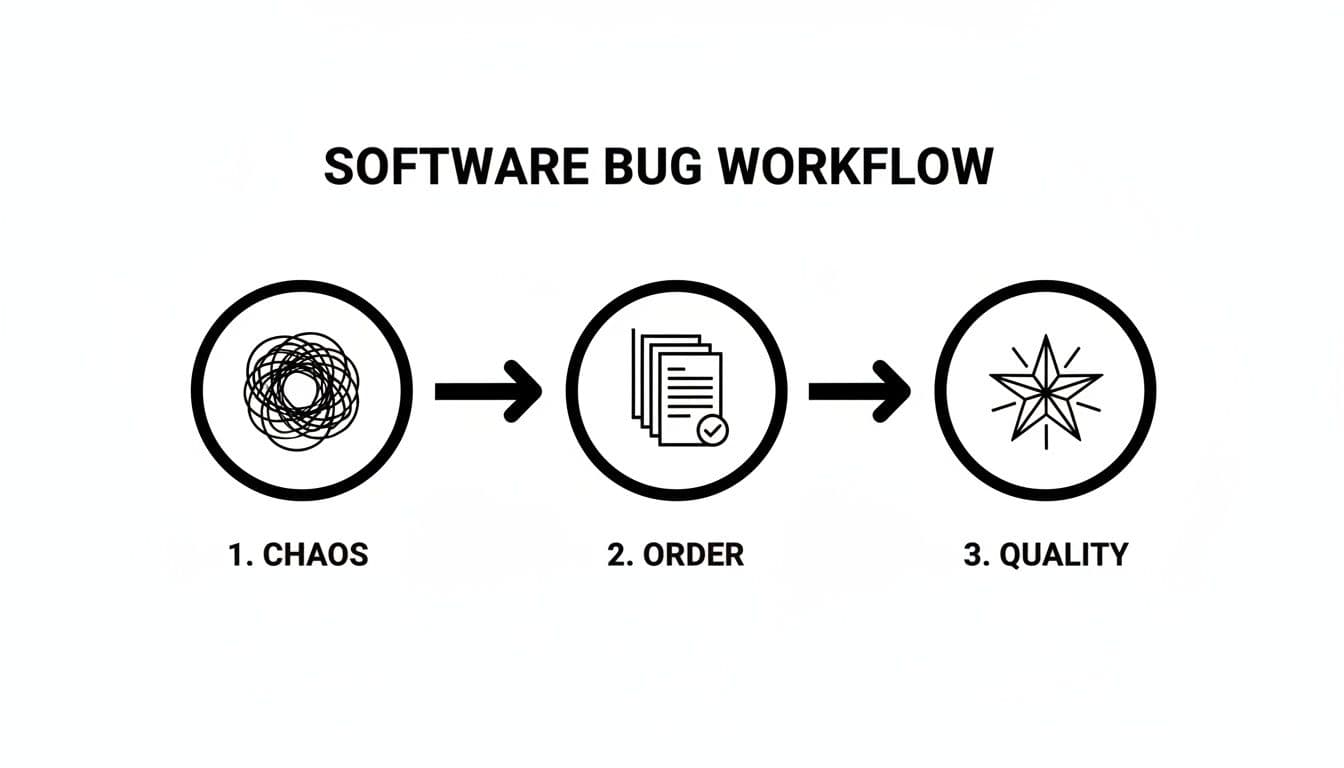
This workflow is the team's playbook. It turns confusing user complaints into clear, actionable tasks that strengthen the final product. Let's walk through each stage of that journey.
H3: 1. Discovery (New)
A bug is born. This is the very first step, where a tester, a customer, or even an automated monitoring tool spots something that isn’t working as expected.
The issue is immediately logged in a tracking system like Jira or Linear, where it’s given the status of New. At this point, it’s just a raw, unverified report waiting for review. The quality of the initial report is critical—the more detail, the better.
H3: 2. Reporting & Triage
A new bug report can’t just sit in the backlog. The next crucial step is triage, where a project manager, QA lead, or a dedicated triage team reviews the report.
They’re looking for a few key things:
- Is this a legitimate bug or a misunderstanding of the feature?
- Is the report a duplicate of an existing issue?
- Is there enough information (like steps to reproduce, screenshots, and environment details) to act on it?
If the bug is valid and unique, it gets prioritized based on its severity and impact. A bug crashing the entire app is obviously more urgent than a minor typo on a settings page.
H3: 3. Assignment
Once a bug is triaged and prioritized, it’s time to give it an owner. The ticket is officially Assigned to the developer or engineering team best suited to fix it.
This step is all about creating accountability. Now, a specific person is responsible for investigating the problem and pushing it forward. Without a clear owner, tickets can languish in the backlog indefinitely.
H4: 4. Fixing (In Progress)
The developer has accepted the assignment and is actively working on a fix. The bug’s status is updated to In Progress (or sometimes Open).
This is where the real detective work happens. The developer digs into the code, reproduces the bug on their local machine, and works to pinpoint the root cause. They might need to communicate back and forth with the original reporter to get more context before writing and testing a code change.
H4: 5. Verification (In Test)
The developer believes they’ve squashed the bug. They’ve written the code, tested it on their machine, and are confident it’s fixed. They update the status to Resolved or Ready for QA.
But the journey isn’t over. Now, the fix is passed over to the QA team for independent verification. A tester takes the updated code into a staging or testing environment and puts it through its paces. Their job is to confirm two things:
- The original bug is well and truly gone.
- The fix didn't accidentally break something else (this is called a regression).
The bug’s status is now In Verification or In Test.
H4: 6. Closure
Success! The QA tester has confirmed that the fix works perfectly and hasn’t introduced any new issues. They give their final approval, and the bug’s status is updated to Closed.
This is the finish line. A closed ticket signifies that the bug has been reported, fixed, and verified, completing its life cycle.
H4: 7. Reopened
Of course, things don’t always go so smoothly. If the QA tester finds that the bug still exists or that the fix caused a new problem, the ticket gets sent back to the developer.
The status is changed to Reopened, and the bug re-enters the cycle, usually back at the "Assigned" or "In Progress" stage. A high reopen rate can be a red flag, often pointing to miscommunication, incomplete bug reports, or overly complex code.
H4: 8. Regression Prevention
The final, and often overlooked, stage is making sure this bug—or one like it—doesn’t come back. Once a bug is closed, smart teams take steps to prevent it from happening again.
This might involve writing a new automated test that specifically checks for this bug. Adding it to the regression test suite ensures that future code changes won’t accidentally resurrect the same old problem, making the entire system more robust over time.
To pull it all together, here’s a quick summary of who owns what at each stage.
Key Stages and Responsibilities in the Bug Life Cycle
This table breaks down each core stage in the process, showing the primary owner responsible for moving the bug forward and the main goal they are trying to achieve.
| Stage | Primary Owner | Key Objective |
|---|---|---|
| New | Reporter (Tester, User) | To log a new, undocumented issue with clear, reproducible steps. |
| Triage | Product/Project Manager or QA Lead | To validate, prioritize, and check the bug report for completeness. |
| Assigned | Product/Project Manager or Team Lead | To assign the bug to the correct developer for resolution. |
| In Progress | Developer | To analyze the root cause and implement a code fix. |
| Verification | QA Tester | To confirm the fix works and hasn't introduced new bugs. |
| Closed | QA Tester | To formally approve the fix and close the ticket. |
| Reopened | QA Tester | To reject a faulty fix and send the bug back to the developer. |
| Regression Prevention | Developer / QA Engineer | To add automated tests to prevent the bug from reappearing. |
Understanding these roles and objectives helps everyone on the team know exactly what's expected of them, which is the key to a smooth and efficient workflow.
The Key Players and Their Roles in Managing Bugs
The software bug life cycle isn’t some automated machine; it’s a deeply human process that relies on people with specific skills working together. Think of it like a relay race—for a bug to successfully cross the finish line and get marked "Closed," the baton has to be passed smoothly from one person to the next. When everyone knows their part, the whole system moves faster.
But what happens when responsibilities get fuzzy? That's when bugs get dropped. A vague report can send a developer down a rabbit hole for hours, and a missed verification step can let a broken fix slip right into production. Understanding who does what is the absolute bedrock of solid bug management.

Let's break down the four essential roles that keep the bug life cycle moving.
The Reporter: The First Responder
The Reporter is the person who first finds and documents the bug. This could be anyone—a QA Engineer running a test suite, a customer support agent on the phone with a frustrated user, or even a customer who stumbles upon a problem themselves.
Their mission is simple but critical: create a bug report that is crystal clear, packed with detail, and easy for someone else to reproduce. A great report is like a treasure map that leads the developer straight to the problem.
A Reporter's key tasks are:
- Detailed Documentation: Writing out the exact steps to make the bug appear again.
- Providing Context: Including crucial details like the browser version, operating system, and any relevant user info.
- Visual Evidence: Attaching screenshots or screen recordings to show, not just tell, what’s going wrong.
The Triage Lead: The Air Traffic Controller
Once a bug is in the system, the Triage Lead takes over. This role is often filled by a Product Manager, Project Manager, or a senior QA Lead. Their job is to act like an air traffic controller for all incoming issues, deciding which ones need to land for an immediate fix and which can circle in the backlog for later.
This person is essential for protecting the engineering team's time. Without good triage, developers could end up wasting days on low-impact bugs while critical issues are ignored.
The Triage Lead is the gatekeeper of the development backlog. They confirm the bug is real, check for duplicates, and assign a priority based on its impact on the business and the user.
The Developer: The Problem Solver
The Developer is the one who rolls up their sleeves and actually fixes the problem. Once a bug is assigned to them, they dive into the codebase to find the root cause and implement a solution. This is usually the most time-intensive part of the entire process.
But their job isn't just about writing code. A developer has to:
- Reproduce the Bug: The first step is always confirming they can make the issue happen on their own machine.
- Analyze the Cause: They put on their detective hat to figure out why the code is behaving this way.
- Implement a Solution: Finally, they write, test, and commit the code changes that put the bug to rest.
The QA Engineer: The Guardian of Quality
After a developer marks a bug as "Fixed," the baton passes to the QA Engineer. They act as the final guardian of quality, making absolutely sure the fix works and, just as importantly, that it didn't break anything else.
They put the fix through its paces in a staging environment. If it passes their rigorous tests, the ticket is moved to "Closed." If it fails, it gets sent right back to the developer with detailed notes, and the status changes to "Reopened." This final check is what keeps bad code from ever reaching your users.
Overcoming Common Bottlenecks in Your Workflow
Even the most well-oiled software bug life cycle can seize up. These bottlenecks aren't just minor delays; they create friction, burn valuable engineering hours, and can ultimately hurt the quality of your product. Think of your workflow as a highway—a single stalled car can back up traffic for miles. The key is knowing how to spot these jams and clear them out quickly.
Most teams run into the same handful of classic problems. Vague bug reports send developers on a wild goose chase. Triage meetings drag on for hours without any real decisions. And fixes that fail verification get stuck in a frustrating back-and-forth loop. Let's dig into these common pain points and what you can actually do to get things moving again.
The Vague Bug Report Problem
One of the single biggest time-wasters in any development process is a poorly written bug report. A ticket that just says "the login button is broken" is next to useless. It immediately turns the developer into a detective, forcing them to spend hours guessing at the user's browser, their operating system, and the exact sequence of clicks that led to the problem.
This ambiguity doesn't just waste one person's time; it creates a ripple effect of inefficiency. The developer either has to hunt down the person who reported it, or worse, they take a shot in the dark and try to fix the wrong thing entirely.
The solution is to standardize how your team reports bugs. It’s not about bureaucracy; it’s about clarity.
- Use Bug Report Templates: Build a mandatory template in your issue tracker (Jira, Linear, etc.). Insist on fields for steps to reproduce, what was expected vs. what actually happened, environment details (browser, OS, device), and user permissions.
- Demand Visual Evidence: Make screenshots or screen recordings a non-negotiable part of the process. This isn’t always easy for users, which is why tools like Monito are so helpful—they automatically capture all this context, showing developers exactly what went wrong without any extra effort from the reporter.
- Establish a "Definition of Ready": A bug isn’t ready for a developer to pick up until it's been triaged and has all the information needed to reliably reproduce it. Period.
The Triage Black Hole
Triage is supposed to be a fast, decisive process for sorting and prioritizing new bugs. Too often, though, these meetings become a black hole, sucking up time in long, unstructured debates where every single issue sounds like a top priority. And when everything is critical, nothing is. This paralysis leaves developers confused about what they should actually be working on.
Good triage isn't about gut feelings; it's about having a clear framework for making decisions.
The goal of triage is to assess, prioritize, and assign bugs—not to fix them on the spot. Keep the meeting sharp and action-oriented. If you find yourself deep in a technical debate, take it offline.
To pull yourself out of this trap, create a simple prioritization matrix. Score bugs on two axes:
- Severity: How badly does this bug break the system? (e.g., Critical, High, Medium, Low)
- Priority: How urgent is it for the business to fix it? (e.g., High, Medium, Low)
A bug that crashes the entire application for every user is obviously a P0 (Critical Severity, High Priority). A minor typo on a settings page only seen by internal admins? That's a Low Severity, Low Priority issue that can wait. A framework like this transforms subjective arguments into objective, data-driven decisions.
The Dreaded "Reopened" Loop
Few things drain a team's morale faster than a bug that just won't die. When a fix fails verification and a ticket gets marked as Reopened, it's a clear sign that something in the process is broken. This loop doesn't just waste time as the ticket bounces between developers and QA; it erodes trust and kills momentum. The culprit is usually a rushed fix, sloppy testing, or a simple miscommunication about what "done" actually means.
This isn't a new problem. A classic analysis of Mozilla's bug database found that Reopened statuses were a major hotspot, stretching out bug resolution times by 40-60% because the first attempt at a fix didn't stick.
Breaking this cycle means building quality into every step. Make sure developers are writing unit tests for their fixes. Ensure QA has clear, documented acceptance criteria before they even start verifying. This upfront alignment prevents the "that's not what I meant" game and helps ensure that when a bug is marked as fixed, it actually stays fixed.
Essential Metrics to Measure Your Bug Life Cyle Health
You can't improve what you don't measure. It’s an old saying, but it’s especially true for software development. Having a bug life cycle is one thing, but to really dial it in, you need to look at the data. Think of Key Performance Indicators (KPIs) as a health check for your workflow—they turn vague feelings like "fixes are taking too long" into hard numbers you can actually do something about.
Tracking the right metrics helps you spot hidden bottlenecks, see how your team is really performing, and make improvements based on facts, not guesswork. It's the difference between just managing bugs and strategically making your entire development process better.

Core Bug Management KPIs
To get a clear picture of how healthy your bug life cycle is, you don’t need to track a hundred different things. Start with the essentials. These KPIs give you a solid view of your team's speed, efficiency, and the quality of the work they're shipping.
-
Bug Resolution Time: This is the big one. It measures the total time from the moment a bug is reported to the moment it's officially closed. It’s a direct reflection of your team’s overall efficiency. If your resolution time keeps creeping up, it might be a sign of vague bug reports, a lack of resources, or maybe some tangled code that’s a nightmare to work with.
-
Bug Age: This is a bit different from resolution time. Bug age tracks how long a bug hangs out in a specific stage. For instance, how long does a ticket sit in the "New" queue before anyone even looks at it? Or how long does it linger in "Ready for QA"? If you see bugs getting old in one particular stage, you’ve found your bottleneck. It could be a slow triage process or a QA team that’s completely swamped.
It's so important to track these numbers because bug-fixing isn't always linear. You'll often find that most bugs get fixed pretty quickly, but a small handful can linger forever, dragging the average time way down.
Studies on commercial software projects have shown this clearly. While 80% of bugs were fixed in under 100 "time units," the remaining 20% took over 1,000 units to resolve. In some cases, the median fix time hit around 200 days. This is why you need a process that shines a light on these long-tail issues before they get out of hand. If you're curious about the data, you can learn more about bug-fixing time findings from this research.
Quality and Density Metrics
Speed is great, but not if it comes at the cost of quality. These next metrics help you understand how solid your fixes are and how many bugs are cropping up in your code in the first place. They’re the reality check that ensures you’re not just moving fast and breaking things.
Reopen Rate This metric tracks the percentage of bugs that get bounced back to development after being marked as "Fixed." A high reopen rate is a huge red flag. It usually points to one of three things:
- Incomplete Fixes: The developer only patched up a symptom, not the root cause.
- Poor Communication: The developer and QA tester had different ideas of what "fixed" actually meant.
- Insufficient Testing: The fix was rushed through without being thoroughly checked, and QA caught something that was missed.
Bug Density This KPI is all about finding the hot spots. It measures the number of confirmed bugs per feature, module, or even lines of code. It’s a great way to identify the "buggy" parts of your application—the areas that might need some serious refactoring or much better automated test coverage. If you see bug density climbing over time, it could be a sign that technical debt is piling up and your code quality is starting to slip.
Got Questions? We’ve Got Answers.
Even with a perfect process on paper, the real world of bug tracking is messy. Let's tackle three of the most common questions that pop up, so you can navigate triage meetings with confidence and keep your workflow running smoothly.
What's the Real Difference Between Bug Severity and Priority?
This is easily one of the most debated topics in any triage meeting. They sound similar, but confusing severity and priority can send your team down the wrong rabbit hole.
Think of it like this:
Severity is all about the technical impact. It answers the question, "How badly does this break our product?" This is usually the QA engineer's or developer's call.
- Critical Severity: The app is crashing, users are losing data, or a core feature is completely unusable. It's a technical disaster.
- Low Severity: A button is a few pixels off, or there's a typo in a tooltip. Annoying, but not system-breaking.
Priority, on the other hand, is about business impact. It answers the question, "How urgently do we need to fix this for the business and our users?" This is where the product manager steps in.
Here's a classic example: Imagine a typo in your company's logo on the homepage. Technically, it's a Low Severity bug—it breaks nothing. But because it damages the brand's credibility, it’s a High Priority fix.
Nailing this distinction ensures you're not just fixing the biggest technical messes but also delivering the most value.
How Do We Stop Bugs from Coming Back to Haunt Us?
Nothing saps team morale faster than a bug you thought was squashed reappearing in the "To Do" column. A high reopen rate isn't just frustrating; it's a clear sign of a breakdown in your process.
The solution usually comes down to two things: better communication and a stronger verification process.
First, your team needs a rock-solid "Definition of Done" for every single ticket. This isn't just a checkbox; it's an agreement between the developer and the QA engineer on exactly what a "fix" looks like and what conditions it must meet.
Second, encourage developers to write specific, automated tests alongside their fixes. This does more than just confirm the immediate problem is solved—it builds a permanent safety net into your codebase, making sure a future update doesn't accidentally resurrect the same issue.
What's Automation's Role in All of This?
Automation isn't here to replace your team. It's here to free them from the tedious, repetitive tasks that eat up valuable time and introduce human error. Think of it as your most reliable assistant.
Here are a few places where automation can make a huge difference:
- Smarter Reporting: Instead of getting vague reports like "the page is broken," tools can automatically grab all the nitty-gritty details—console logs, network requests, and user steps—that developers need.
- Regression Testing: A good CI/CD pipeline can automatically run a suite of tests with every new code commit. This acts as a gatekeeper, catching old bugs before they ever have a chance to slip back into production.
- Faster Triage: Some modern tools use AI to scan incoming bug reports, flag potential duplicates, and even suggest a likely culprit, giving your team a massive head start on the triage process.
When you bring in automation, you're not just moving faster. You're building a more consistent, reliable, and focused bug management machine.
Tired of chasing down vague bug reports? Monito automates the tedious parts of the software bug life cycle. Our browser extension captures console logs, network activity, and user actions, packaging them into developer-ready tickets in one click. Try it free and see how much time you can save at https://monito.dev.
Authored using the Outrank tool