10 Automated Testing Best Practices to Implement in 2026
Discover 10 automated testing best practices for 2026. This guide covers CI/CD, flaky tests, BDD, and more to elevate your quality engineering.
10 Automated Testing Best Practices to Implement in 2026
In modern software development, automation is not just an advantage; it is the bedrock of velocity and quality. Yet, simply 'doing' automated testing is not enough. Many teams find themselves trapped in a cycle of flaky tests, slow pipelines, and a test suite that inspires more dread than confidence. Moving beyond generic advice, this article provides a comprehensive roundup of 10 essential automated testing best practices that successful engineering teams are adopting right now.
From foundational strategies like the Test Automation Pyramid to advanced tactics for managing test data and eliminating flakiness, each practice is designed to be actionable, scalable, and impactful. We'll explore how to build a robust testing culture that not only catches bugs but actively accelerates development, ensuring every release is a step forward, not a step back. This is your guide to building a testing framework that works for you, not against you.
To truly elevate your quality engineering, it's essential to stay updated on the top automated website testing tools available for developers, including various frameworks and visual testing suites. This guide will cover the strategic principles that empower those tools, detailing specific, actionable insights into:
- Strategic Test Design: Structuring your suite for maximum stability and speed.
- CI/CD Integration: Making testing a seamless, automated part of your delivery pipeline.
- Test Reliability: Identifying, managing, and preventing flaky tests that erode trust.
- Long-Term Maintenance: Creating a test suite that is easy to maintain and refactor over time.
This roundup is for developers, QA engineers, and product teams looking to implement a more effective, reliable, and efficient automated testing strategy.
1. Implement the Test Automation Pyramid Strategy
The Test Automation Pyramid is a foundational framework for structuring your automated tests to maximize efficiency and minimize maintenance. Popularized by experts like Mike Cohn and adopted by tech giants like Google, this model organizes tests into three distinct layers, forming a pyramid shape that guides one of the most crucial automated testing best practices: test distribution.
The pyramid's structure is built on a simple principle: write lots of fast, isolated tests and progressively fewer slow, integrated ones.
The Three Layers Explained
- Unit Tests (Base): This forms the largest part of your testing suite. Unit tests are fast, reliable, and inexpensive to write. They verify individual functions or components in isolation, ensuring that the core business logic works as expected. A strong base of unit tests catches bugs early, right at the source.
- Integration Tests (Middle): This layer checks how different parts of your application interact. This could involve testing API contracts, database connections, or communication between microservices. They are slower than unit tests but essential for verifying that system components collaborate correctly.
- End-to-End (E2E) Tests (Top): At the narrow peak of the pyramid are E2E tests. These simulate complete user journeys through the UI, like a customer signing up and making a purchase. While invaluable for validating critical workflows, they are the slowest, most brittle, and most expensive tests to maintain.
How to Implement This Strategy
To effectively adopt the pyramid, focus your efforts strategically. A common ratio, often cited by Google, is 70% unit tests, 20% integration tests, and 10% E2E tests. Start by identifying the most critical user journeys for your E2E tests, and then push as much logic verification as possible down to the unit and integration layers.
This layered approach not only accelerates your CI/CD pipeline but also makes debugging far more efficient. When a test fails, its position in the pyramid provides an immediate clue about the failure's scope, a concept central to broader software testing best practices.
2. Continuous Integration/Continuous Deployment (CI/CD) Test Automation
Integrating automated tests into a Continuous Integration/Continuous Deployment (CI/CD) pipeline is no longer optional; it is a core tenet of modern software development. This practice automates the execution of your test suite on every code commit or pull request, creating a robust quality gate that prevents defects from ever reaching production. By automating this feedback loop, teams can release code faster and with greater confidence.
This approach, popularized in the book Continuous Delivery by Jez Humble and David Farley, turns testing from a manual, end-of-cycle phase into an automated, integral part of the development process. Tools like GitHub Actions, Jenkins, and GitLab CI orchestrate these workflows, ensuring every change is validated before merging.
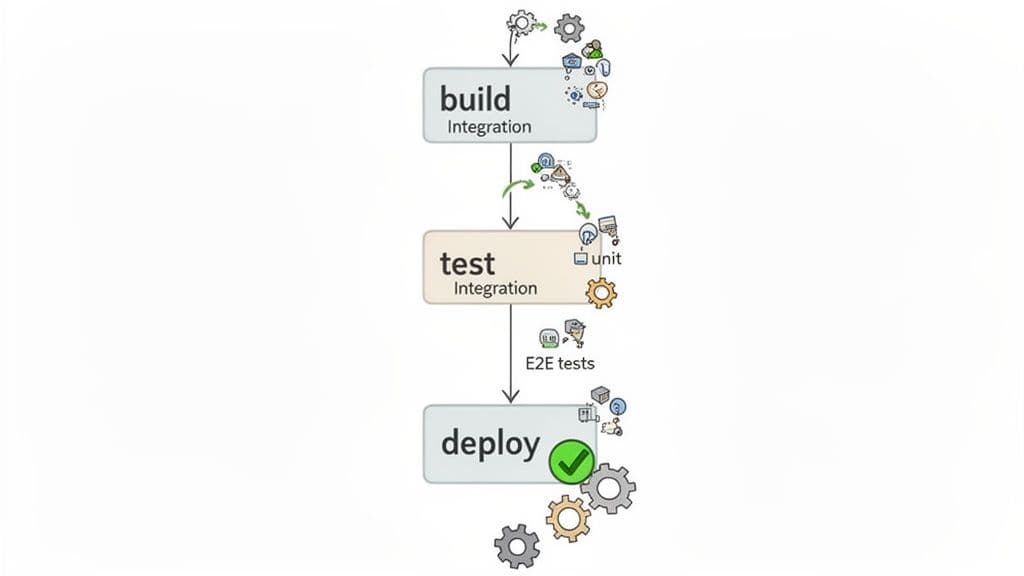
The CI/CD Workflow Explained
- Trigger: A developer commits new code to a version control repository like Git. This action automatically triggers the CI/CD pipeline.
- Build: The pipeline builds the application, compiling code and creating artifacts. A failed build provides immediate feedback that the code is broken.
- Test: The automated test suite runs in stages, often following the Test Pyramid model. Fast unit tests run first, followed by integration tests, and finally end-to-end (E2E) tests.
- Deploy: If all tests pass, the code is automatically deployed to a staging environment for further validation or directly to production. A test failure at any stage stops the pipeline, preventing the flawed code from progressing.
How to Implement This Strategy
To make CI/CD a pillar of your automated testing best practices, focus on speed and clarity. Companies like Spotify and Stripe leverage this to deploy hundreds of times daily. Start by integrating your fastest tests first and building a culture where a "broken build" is a high-priority issue.
Key tactics include parallelizing test execution across multiple machines to reduce run time and structuring your pipeline to fail fast by running cheaper tests first. Clear reporting is crucial; every failed test should immediately notify the right team with logs and artifacts. Integrating tools that capture session recordings of failed E2E tests in staging can provide an audit trail and help developers reproduce bugs in seconds, not hours.
3. Adopt Behavior-Driven Development (BDD) for Clarity and Collaboration
Behavior-Driven Development (BDD) is an agile software development process that encourages collaboration among developers, QA, and non-technical business participants. Popularized by Dan North, BDD uses natural language to describe application behavior from the user's perspective, making it one of the most effective automated testing best practices for aligning technical implementation with business requirements.
This approach uses a simple "Given-When-Then" syntax, often written in a language called Gherkin, to create executable specifications that double as automated tests. This makes tests readable for everyone, ensuring the software built is the software needed.
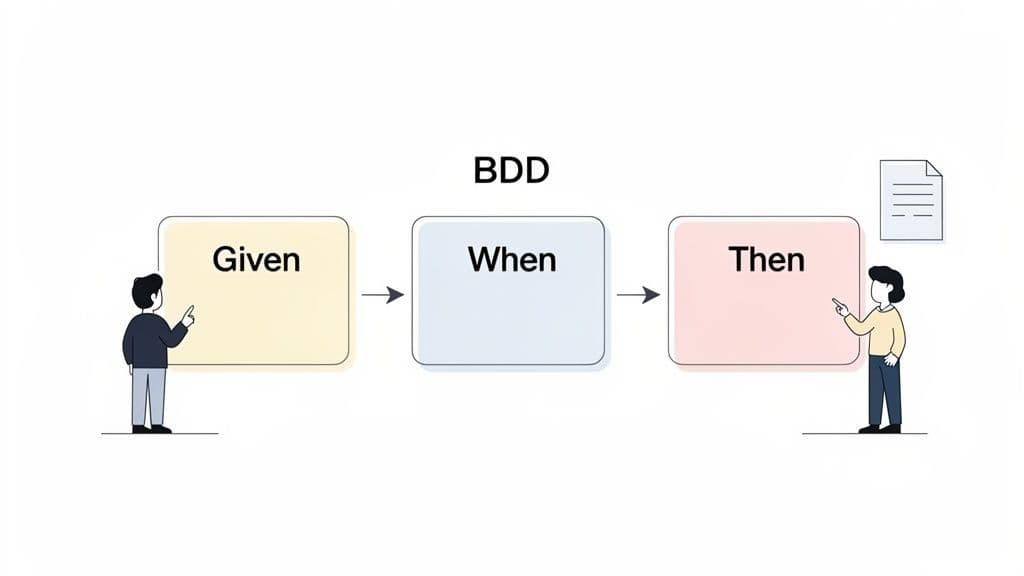
The Three Parts Explained
- Given: This sets up the initial context or prerequisite. It describes the state of the system before the user begins their interaction. For example, "Given a user is logged into their account and has items in their cart."
- When: This describes the specific action or event that the user performs. It is the trigger for the behavior being tested. For example, "When the user clicks the 'Proceed to Checkout' button."
- Then: This describes the expected outcome or result of the action. It verifies that the system behaved correctly. For example, "Then the user should be taken to the payment confirmation page."
How to Implement This Strategy
To implement BDD, start by writing scenarios before writing the feature's code. This "outside-in" approach ensures development is guided by clear, agreed-upon requirements. Use frameworks like Cucumber or SpecFlow to translate these plain-text Gherkin scenarios into automated tests that can be run in your CI/CD pipeline.
A key to success is keeping scenarios focused on a single business rule. Companies like Spotify and Zalando use BDD to ensure new features align with user expectations across distributed teams. This collaborative process not only reduces ambiguity but also creates living documentation that is always in sync with the application's behavior.
4. Use the Page Object Model (POM) Pattern
The Page Object Model (POM) is a widely adopted design pattern that brings structure and maintainability to UI automation. Instead of embedding UI selectors and interaction logic directly into your test scripts, POM encapsulates them within dedicated "page object" classes. This creates a clean separation between your test logic and the application's page structure, a cornerstone of sustainable automated testing best practices.
This pattern treats each page or significant UI component of your application as an object. The object class contains all the locators for the elements on that page and the methods that represent user interactions, like login() or searchForItem().
The Core Components Explained
- Page Objects: These are classes that model a specific page or component of your application's UI. For example, you might have a
LoginPage.javaor aHomePage.js. Each class holds the element locators (like CSS selectors or XPaths) and methods to interact with those elements. - Test Scripts: Your test scripts use the methods from the page objects to perform user actions and make assertions. The tests become clean, readable narratives of user behavior, free from implementation details like
driver.findElement(By.id("username")). - Reduced Duplication & Improved Maintenance: If a UI element changes, you only need to update its locator in one place: the corresponding page object. This single change propagates to all tests that use it, drastically reducing maintenance overhead. Tech giants like Netflix and Salesforce rely on this pattern to manage their vast and complex test suites.
How to Implement This Strategy
Start by creating a base page class that contains common functionalities, like waiting for elements or handling navigation, that all other page objects can inherit. Name your page object methods based on the user action they perform (e.g., submitLoginForm()) rather than the technical implementation (e.g., clickLoginButton()).
Keeping page objects focused on a single logical component prevents them from becoming bloated. By centralizing UI interactions, you make your test suite more robust and easier to debug. This approach simplifies maintenance, making your automated tests a more reliable and scalable asset for your development lifecycle.
5. Master Test Data Management and Isolation
Effective test data management is the practice of creating, maintaining, and tearing down data used exclusively for automated tests. A core pillar of this practice is test isolation, which ensures that each test runs independently in a clean, predictable state, free from the influence of other tests. This approach is one of the most critical automated testing best practices for creating a reliable and deterministic test suite.
The goal is to eliminate data-related flakiness, where a test passes or fails based on the order it runs or the leftover state from a previous test. By controlling the data, you control the test environment, making your results consistent and trustworthy.
Core Strategies for Implementation
- Factories and Seeders: Use data factories or builders (like FactoryBot for Ruby or Factory Boy for Python) to programmatically generate consistent, valid test data. Seeding involves pre-populating a test database with a known set of data before a test suite runs, ensuring a predictable starting point.
- State Management Hooks: Leverage testing framework hooks like
beforeEachandafterEachto manage state. ThebeforeEachhook can set up specific data required for a test, whileafterEachcan tear it down, cleaning the environment for the next test to run. - Containerized Environments: For complete isolation, especially in integration testing, use containerized services like databases (e.g., using Testcontainers). Each test or test suite can spin up a fresh, ephemeral database instance, guaranteeing a pristine environment every time.
How to Implement This Strategy
Start by banning the use of production data in your automated tests; it's a security risk and creates unpredictable outcomes. Instead, adopt a "factory-first" approach for creating entities like users, products, or transactions. For example, Airbnb uses sophisticated factory patterns to generate complex booking scenarios, ensuring each E2E test validates a specific workflow without data conflicts.
Furthermore, a disciplined cleanup strategy is essential. If a test creates a user, it should also be responsible for deleting that user afterward. This prevents data pollution that can cause cascading failures across your test suite. By isolating tests and managing data methodically, you build a robust foundation for reliable automation.
6. Flaky Test Detection and Management
Flaky tests are automated tests that pass and fail intermittently without any changes to the code, eroding trust in your entire test suite. A core component of automated testing best practices is establishing a robust strategy for identifying, managing, and resolving these unpredictable failures to maintain a reliable and fast CI/CD pipeline.
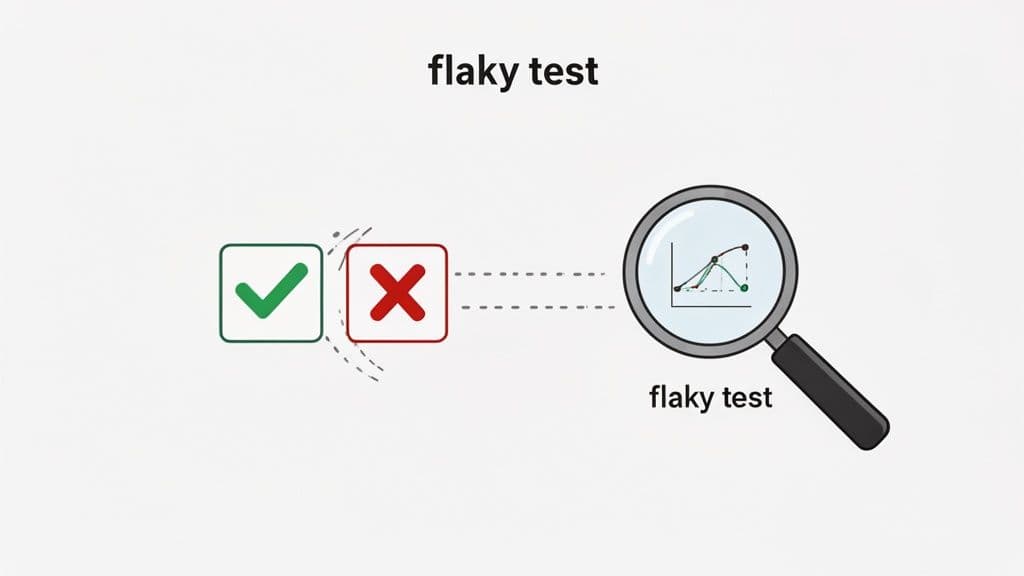
These failures are often caused by race conditions, unpredictable network latency, or dependencies on external systems. Tech leaders like Google and Facebook have developed sophisticated internal tools to automatically detect and quarantine flaky tests, recognizing that ignoring them leads to slower development cycles and a higher risk of shipping bugs.
Key Strategies for Management
- Detection: The simplest method is to automatically re-run failed tests. If a test passes on a subsequent run, it is flagged as flaky. More advanced approaches involve analyzing historical pass rates and identifying tests with inconsistent outcomes over time.
- Root Cause Analysis: Investigating flakiness requires a deep dive into the test's execution context. Common culprits include improper handling of asynchronous operations (using fixed sleeps instead of explicit waits), test data pollution, or infrastructure instability.
- Quarantine and Resolution: Once identified, a flaky test should be immediately moved to a separate "quarantine" suite. This prevents it from blocking the main pipeline while a ticket is created for its resolution, a process that fits into a structured software bug life cycle.
How to Implement This Strategy
Start by configuring your test runner to re-run failed tests at least once. If a test fails and then passes, log it for review. Implement a policy where developers cannot merge new code if it introduces flaky tests. For end-to-end tests, use tools that provide detailed diagnostics, like session recordings, which can reveal subtle timing issues or DOM state inconsistencies that lead to flakiness.
Ultimately, the goal is to create a culture where test reliability is prioritized. Track metrics like the percentage of flaky tests in your suite and set clear targets for their reduction. A stable test suite is a reliable signal, and managing flakiness is essential to keeping that signal clear.
7. Test Coverage Metrics and Strategy
Test coverage is a metric used to measure the degree to which your application's source code is executed when a particular test suite runs. While striving for 100% coverage can lead to diminishing returns, establishing a strategic approach to coverage is one of the most effective automated testing best practices for identifying untested code and focusing your quality assurance efforts.
The goal isn't just hitting an arbitrary number; it's about ensuring that the most critical parts of your codebase are verified. This metric provides invaluable feedback on where gaps exist in your test suite, helping teams make informed decisions about where to invest their time and resources.
Key Types of Coverage
- Line Coverage: Measures how many lines of your source code were executed by tests. It's the simplest metric but can be misleading, as a line can be executed without its logic being fully tested.
- Branch Coverage: A more insightful metric that checks if every possible branch of a control structure (like an
iforswitchstatement) has been executed. High branch coverage is a better indicator of thorough testing. - Function Coverage: Tracks how many of the functions or methods defined in your code have been called. It helps ensure that all defined behaviors are at least invoked.
How to Implement This Strategy
Effective implementation moves beyond simply tracking a percentage. Industry leaders like Mozilla and Microsoft use coverage metrics not as a hard rule but as a guide to prioritize testing for critical and high-risk components. A pragmatic target for most projects is 70-80% branch coverage.
Focus on achieving high coverage for complex business logic, security-sensitive functions, and intricate error-handling routines. Use tools like Codecov or Coveralls integrated into your CI/CD pipeline to monitor trends over time and prevent coverage from dropping with new code submissions. Reviewing these trends regularly helps your team identify and address testing gaps before they become production issues.
8. Cross-Browser and Cross-Platform Testing
Ensuring your application delivers a consistent, high-quality experience to every user, regardless of their device or browser, is a non-negotiable part of modern software development. Cross-browser and cross-platform testing validates that your application functions correctly across different environments, including various browsers (Chrome, Firefox, Safari), devices (desktop, mobile), and operating systems (Windows, macOS, Android).
This practice addresses the reality that subtle differences in rendering engines, JavaScript interpretation, and CSS handling can break an otherwise perfect user experience. This is one of the most critical automated testing best practices for building trust with a diverse user base.
The Core Components Explained
- Cross-Browser Testing: This verifies your application's appearance and functionality on multiple web browsers. Even a small CSS property unsupported by Safari can disrupt an entire layout, while a JavaScript API might behave differently in Firefox versus Chrome.
- Cross-Platform Testing: This focuses on different operating systems and device types. It ensures that features work as expected on a Windows desktop, a MacBook, an iPhone, and an Android tablet, accounting for variations in input methods, screen resolutions, and OS-level integrations.
- Responsive Design Testing: This is a subset that specifically checks how the UI adapts to different viewport sizes, from a large monitor down to a small smartphone screen. Automated screenshot comparisons are invaluable here for catching visual regressions.
How to Implement This Strategy
To execute this effectively, leverage cloud-based testing grids. Services like BrowserStack or Sauce Labs provide instant access to thousands of real device and browser combinations, allowing you to run your existing test suite in parallel across your target environments. Start by analyzing your user analytics to prioritize browsers and devices used by your actual audience.
For mobile, it is crucial to test on real devices, not just emulators, to catch hardware-specific bugs. By integrating these cross-environment checks into your CI/CD pipeline, you can automatically validate every new feature against your supported platforms, preventing costly, environment-specific bugs from ever reaching production.
9. Prioritize API and Contract Testing
Testing directly at the API layer, rather than through the user interface, is one of the most impactful automated testing best practices for modern applications. This approach bypasses the slow and brittle nature of UI-driven tests, allowing you to validate business logic, data handling, and service integrations with greater speed and reliability.
This strategy is built on two complementary testing types: API testing, which validates endpoint functionality, and contract testing, which ensures services communicate correctly.
The Two Types Explained
- API Tests: These tests interact directly with your application's API endpoints. They send requests with various payloads and headers to verify that the server returns the correct responses, status codes, and data formats. Tools like Postman and REST Assured excel at this, enabling you to test business logic without loading a UI.
- Contract Tests: Particularly crucial in microservice architectures, contract tests verify that a service provider (like a backend API) upholds its "contract" with a service consumer (like a frontend app). A consumer-driven tool like Pact ensures that any changes made by the provider don't break the consumer's expectations, preventing integration failures.
How to Implement This Strategy
Start by building a comprehensive API test suite that covers both happy paths and error scenarios. For example, test for successful data creation (201 Created), data retrieval (200 OK), and client errors (4xx responses).
- Test Multiple Levels: Create unit tests for individual API handlers, integration tests for full endpoint logic, and contract tests for inter-service communication.
- Mock Dependencies: Isolate your API tests by mocking external services or databases. This ensures your tests run quickly and reliably, focusing only on the API's logic.
- Validate Schemas: Use specifications like OpenAPI or JSON Schema to automatically validate the structure and data types of your API responses, not just static values.
- Secure Your Endpoints: Functional validation is just one piece of the puzzle. It's equally important to integrate security checks into your workflow. Explore actionable API security best practices to protect your application from common vulnerabilities.
This API-first approach accelerates feedback loops dramatically. When a test fails, you know the issue is in the backend logic, not a random UI glitch, making debugging far more efficient.
10. Implement a Test Maintenance and Refactoring Strategy
A test suite is not a "set it and forget it" asset; it is living code that requires consistent upkeep. A test maintenance and refactoring strategy is the proactive process of keeping automated tests relevant, reliable, and efficient as your application evolves. This practice treats test code with the same respect as production code, preventing the decay that leads to flaky tests, slow builds, and a general loss of trust in your automation efforts.
Without a dedicated strategy, test suites quickly become bloated with outdated or redundant tests, a condition known as "test debt." One of the most critical automated testing best practices is to formalize this upkeep to ensure your test suite remains a valuable safety net rather than a source of friction.
The Pillars of Test Maintenance
Effective maintenance is built on three core activities that ensure the long-term health and value of your test suite. It's a continuous cycle, not a one-time cleanup project.
- Test Updates: As features change, so must the tests that validate them. This involves modifying test logic, updating selectors, or changing assertions to reflect new business requirements.
- Test Refactoring: Just like production code, test code can become messy. Refactoring involves improving the structure and readability of tests by removing duplication (DRY principle), creating helper functions, and organizing test files logically.
- Test Deprecation: Not all tests remain valuable forever. A key part of maintenance is identifying and deleting tests that are redundant, cover low-risk legacy features, or no longer align with user behavior.
How to Implement This Strategy
A successful maintenance strategy requires allocating dedicated time and establishing clear ownership. Tech leaders like Google are known to allocate 20% of engineering effort specifically to maintenance and refactoring. Start by tracking metrics like test execution time, failure rates, and code churn to identify high-maintenance tests that need attention first.
Assigning ownership of test suites to specific feature teams fosters accountability. This ensures that the engineers most familiar with a feature are responsible for its tests. Furthermore, insights from observability tools can prioritize which tests to maintain, focusing on those that prevent the most critical, real-world bugs. This data-driven approach transforms maintenance from a chore into a high-impact engineering activity, leading to better bug reports and faster resolutions. For more on structuring these reports, see this guide on creating an effective bug report template.
10-Point Comparison: Automated Testing Best Practices
| Strategy | 🔄 Implementation complexity | ⚡ Resources & speed | ⭐ Expected outcomes / 📊 Impact | 💡 Ideal use cases | Key advantages |
|---|---|---|---|---|---|
| Test Automation Pyramid Strategy | 🔄 Medium — design & discipline to maintain layer ratios | ⚡ Low–Medium — unit-heavy gives fast feedback | ⭐⭐⭐⭐ — fast, cost-effective coverage; 📊 scalable test suite | 💡 Core dev teams building layered test suites | 📊 Reduces execution time; lowers maintenance; clear separation of concerns |
| CI/CD Test Automation | 🔄 High — pipeline configuration and upkeep | ⚡ Medium–High — infra and parallel runners improve speed | ⭐⭐⭐⭐⭐ — immediate feedback; 📊 prevents bad releases | 💡 Teams with frequent commits and automated delivery | 📊 Automated quality gates; traceability; faster releases |
| Behavior-Driven Development (BDD) Testing | 🔄 Medium — requires process change and training | ⚡ Low–Medium — spec overhead can slow initial delivery | ⭐⭐⭐ — better alignment; 📊 living documentation of requirements | 💡 Cross-functional teams needing shared, readable specs | 📊 Improves communication; executable documentation |
| Page Object Model (POM) Pattern | 🔄 Medium — upfront design and consistent structure needed | ⚡ Low–Medium — speeds test updates after setup | ⭐⭐⭐⭐ — more maintainable UI tests; 📊 reduces duplication | 💡 Large UI test suites with frequent UI changes | 📊 Encapsulates selectors; simplifies updates; improves readability |
| Test Data Management and Isolation | 🔄 High — infra, setup/teardown and sync complexity | ⚡ Medium — data prep can slow tests but enables parallelism | ⭐⭐⭐⭐ — repeatable, deterministic tests; 📊 enables parallel execution | 💡 Integration tests, parallel CI, data-sensitive features | 📊 Ensures isolation; protects production data; enables edge-case testing |
| Flaky Test Detection and Management | 🔄 Medium–High — monitoring, reruns and RCA required | ⚡ Medium — detection adds run overhead (retries/analytics) | ⭐⭐⭐⭐ — restores confidence; 📊 reduces false negatives | 💡 Large CI suites with intermittent failures | 📊 Identifies timing/race issues; prevents deployment blocks |
| Test Coverage Metrics and Strategy | 🔄 Low–Medium — tooling easy, interpretation required | ⚡ Low — measurement adds modest CI overhead | ⭐⭐⭐ — visibility into gaps; 📊 guides testing investment | 💡 Teams needing measurable testing targets and trends | 📊 Highlights untested paths; helps prioritize tests |
| Cross-Browser and Cross-Platform Testing | 🔄 High — matrix management and complex debugging | ⚡ High — more infrastructure and longer runs unless parallelized | ⭐⭐⭐⭐ — consistent UX across platforms; 📊 catches platform-specific bugs | 💡 Consumer-facing apps with diverse user environments | 📊 Detects browser/device-specific issues; broad compatibility assurance |
| API and Contract Testing | 🔄 Medium — contract design and mocking required | ⚡ Fast — much quicker than UI tests, low infra needs | ⭐⭐⭐⭐⭐ — reliable integration checks; 📊 reduces flakiness | 💡 Microservices and backend-heavy architectures | 📊 Fast, deterministic tests; catches integration/contract breaks early |
| Test Maintenance and Refactoring Strategy | 🔄 Medium — ongoing discipline and scheduled effort | ⚡ Medium — regular investment saves long-term cost | ⭐⭐⭐⭐ — sustained test quality; 📊 lowers cumulative maintenance | 💡 Mature projects with large, evolving test suites | 📊 Prevents test decay; improves readability and developer velocity |
Making Automated Testing Your Competitive Advantage
The journey through the landscape of automated testing best practices reveals a powerful truth: testing is not merely a final checkpoint, but a foundational pillar of modern software development. Moving beyond the simple act of automation to a strategic, principled approach is what separates good teams from great ones. The practices we've explored, from structuring your efforts with the Test Automation Pyramid to managing the complexities of test data and environments, are not isolated tactics. They are interconnected components of a holistic quality engineering culture.
Adopting patterns like the Page Object Model (POM) and methodologies such as Behavior-Driven Development (BDD) brings discipline and clarity to your test suites, making them more maintainable and understandable for everyone, from developers to product managers. Integrating these suites seamlessly into your CI/CD pipeline transforms them from a periodic check into a constant, reliable feedback loop, ensuring quality is built-in, not bolted on. This continuous feedback is the engine of agile development, allowing your team to move faster with unwavering confidence.
From Safety Net to Strategic Asset
The ultimate goal of implementing these automated testing best practices is to elevate your test suite from a simple safety net to a strategic business asset. A mature testing strategy does more than just catch bugs; it accelerates your time to market, reduces development costs, and protects your brand's reputation. It enables innovation by giving developers the freedom to refactor and build new features without the fear of introducing regressions.
Consider the most critical takeaways from this guide:
- Structure is Non-Negotiable: A well-balanced Test Automation Pyramid is your blueprint for an efficient, stable, and fast test suite. Over-reliance on slow, brittle end-to-end tests is a primary cause of testing debt and developer friction.
- Maintenance is a Core Practice: Just like production code, test code requires ongoing attention. A dedicated strategy for refactoring tests, managing flakiness, and pruning obsolete checks ensures your automation suite remains a source of truth, not a source of noise.
- Data and Environments Matter: The most well-written test will fail with unreliable data or an inconsistent environment. Isolating tests and implementing a robust test data management strategy are crucial for achieving dependable and repeatable results.
When a test failure occurs, it should be a clear, actionable signal, not the start of a long, frustrating investigation. This is where the final piece of the puzzle clicks into place. Even with the best testing practices, failures in complex systems, especially at the UI layer, can be notoriously difficult to diagnose. Hours spent trying to reproduce a failing end-to-end test in CI or a user-reported bug are hours not spent building value.
This is precisely the gap that modern observability and debugging tools are designed to close. By capturing the complete context of every test run or user session, these tools provide the "why" behind the failure instantly. They offer a complete replay, including user interactions, console logs, network requests, and application state, eliminating the guesswork from debugging. By integrating such a tool into your workflow, you amplify the value of your entire automated testing strategy, ensuring that when a test rightfully fails, the path to a fix is as short and efficient as possible. This final step turns your high-quality test signals into high-velocity development, solidifying your testing practice as a true competitive advantage.
Ready to eliminate the guesswork from debugging your end-to-end tests and user-reported bugs? Monito provides the complete developer context, including session replays, console logs, and network requests, to help you understand failures in seconds. See how you can accelerate your triage process by exploring Monito and supercharge your automated testing best practices today.