How to Improve Developer Productivity with Actionable Strategies
Discover how to improve developer productivity with proven strategies that reduce friction, optimize toolchains, and foster a high-velocity engineering culture.
How to Improve Developer Productivity with Actionable Strategies
What does it really mean for a developer to be productive? It’s a question that trips up a lot of engineering leaders. We're conditioned to think in terms of output, but real developer productivity isn't about writing more code. It's about solving problems—smartly and without unnecessary friction.
The secret is to create an environment that champions deep work, provides rapid feedback, and is built on a supportive culture. This means we have to get serious about hunting down and eliminating the hidden time-wasters: things like constant context switching, painfully slow builds, and vague bug reports.
Moving Beyond Lines of Code
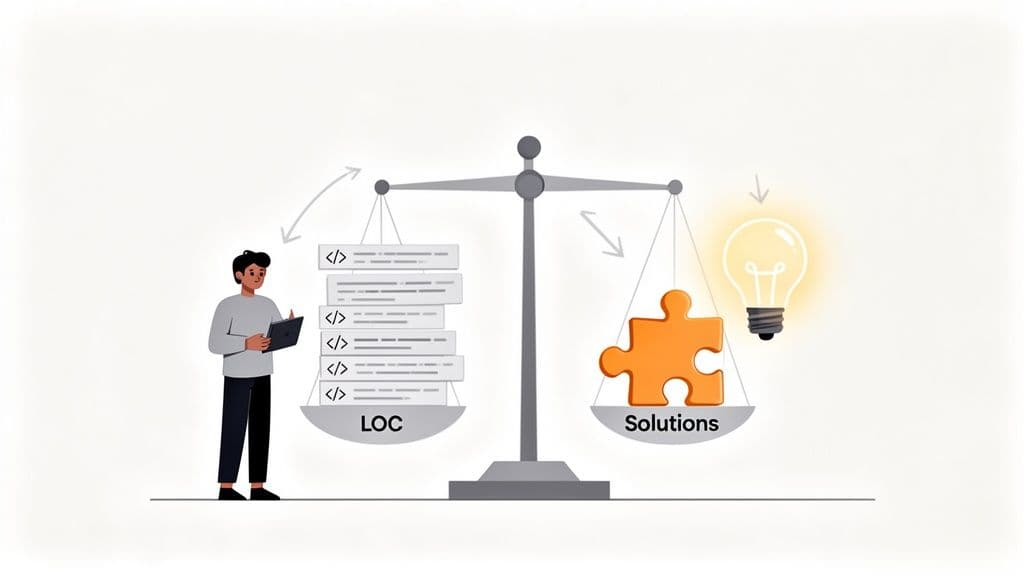
For far too long, we’ve been measuring the wrong things. Tallying up lines of code (LOC), counting commits, or obsessing over story points is like judging a chef by how many pots and pans they dirty. It completely misses the point. These metrics don't just fail to measure value; they actively encourage busywork.
Think about it. A developer who tracks down a gnarly performance bug and fixes it with a clever five-line change is monumentally more productive than someone who adds a thousand lines of code that’s brittle and a nightmare to maintain.
We need to shift our focus from raw output to engineering velocity—the speed at which a team delivers stable, valuable software to users. The question shouldn't be, "How much did you ship?" It should be, "How can we make it easier for our engineers to do their best work?"
The True Costs of Friction
The biggest productivity killers are usually the ones you can't see. They're the silent drains that won't show up on a timesheet but can add up to thousands of lost hours across a team. Recognizing them is the first step to building a truly high-performing engineering culture.
-
Context Switching: Every ping from Slack, every shoulder tap, every last-minute meeting yanks a developer out of the zone. They have to unload a complex mental model of the codebase, and it takes an average of 23 minutes to get that focus back. A simple two-minute question just cost you half an hour of deep work.
-
Slow Feedback Loops: Nothing kills momentum like waiting. When a build takes an hour or CI tests run overnight, developers are stuck. They either sit idle or start multitasking, which just leads right back to the expensive problem of context switching.
-
Ambiguous Information: "The feature is broken." That's not a bug report; it's a treasure map with no 'X' to mark the spot. When developers have to spend their time just trying to reproduce an issue or chase down stakeholders for clarity, they aren't actually solving the problem.
Improving developer productivity is, at its core, an exercise in empathy. It’s about putting yourself in your engineers' shoes, understanding their daily frustrations, and systematically removing the roadblocks that get in their way.
A productive developer is an empowered developer—one who can get into a state of flow and stay there. While the strategies in this guide are tailored for engineering teams, it’s also helpful to understand the broader principles of how to increase productivity at work in any professional setting. With that foundation, let's dive into the specific, actionable steps you can take to create an environment where your developers can truly excel.
Protecting Your Focus with Individual Habits
An engineer’s most valuable asset isn’t their keyboard or their monitor—it’s their uninterrupted focus. Real productivity, the kind that solves complex problems and creates elegant code, only happens in long stretches of deep work. But today's work environment is a minefield of distractions. Protecting your focus isn’t passive; it takes a deliberate, disciplined approach to build a fortress around your concentration.
This is about more than just turning off notifications. It's about architecting your day to match your natural energy cycles, carving out sacred blocks of time for coding, and creating systems that cut down on mental clutter. It’s a proactive strategy to take back control of your time and mind.
Structure Your Day Around Your Energy
Let's be honest, not all hours are created equal. Most of us have a "golden window"—that two-to-four-hour period where we're sharpest and most creative. The single biggest thing you can do for your productivity is to find that window and guard it with your life.
- Morning Larks vs. Night Owls: Are you at your best right after coffee, or do you find your groove in the quiet of the late afternoon? Spend a week paying attention to your energy levels to spot your personal pattern.
- Tackle the Hard Stuff First: Use those peak hours for your most demanding work, like designing a new architecture or hunting down a nasty bug.
- Save Easy Work for Later: Keep your low-energy periods for administrative tasks—clearing out your inbox, attending less critical meetings, or planning your next sprint.
This simple change means you’re aiming your best brainpower at your biggest challenges. It's about stopping the fight against your natural rhythm and starting to work with it.
When you align your tasks with your energy, you reduce friction. Deep work starts to feel less like a struggle and more like a natural state of flow.
Master the Art of Time Blocking
Time blocking is how you put focus-protection into practice. Think of your calendar as a budget for your time and start allocating specific blocks for specific tasks. This is the antidote to a day spent reacting to an endless stream of requests and meetings.
A developer’s calendar should have big, bold, uninterruptible blocks labeled "Deep Work" or "Heads-Down Coding." This sends a clear signal to everyone, including yourself, that this time is off-limits. It turns a vague intention to "get some coding done" into a solid commitment.
The cost of interruptions is huge. Developers lose an incredible amount of time to context switching. Just look at Uber—they found that slow build times were a massive productivity killer. Through targeted fixes, they saved a staggering 4,167 hours daily. This lines up with what the SPACE framework tells us: high-performing teams slash context switches from an average of 7 per day (which can eat up 40% of productive time) down to just two or three. You can dive deeper into the impact of software development metrics on gocrossbridge.com.
Build Your Personal Knowledge Base
How many times have you solved a tricky problem, only to run into the exact same thing six months later and have to figure it all out again? It's a frustrating and completely avoidable productivity leak.
Start building a personal knowledge base. Whether you use Notion, Obsidian, or just a plain text file, get into the habit of documenting your solutions. Every time you fix a non-trivial bug, untangle a weird configuration, or discover a useful command, write it down.
This habit does two things: it reinforces what you just learned and creates a searchable archive of your own hard-won solutions. Over time, this turns past struggles into future shortcuts. It also makes you better at writing clear documentation and can even help you create a better bug report template for your team, as you get a better sense of what information is truly critical for solving a problem.
It’s a Team Sport: Building a High-Velocity Culture
Individual habits can only take you so far. Real, sustainable developer productivity is a team effort. Even your most brilliant engineer will grind to a halt if they’re stuck in a swamp of slow code reviews, communication chaos, or a culture that punishes mistakes. To really pick up the pace, you have to build an environment where collaboration is second nature and psychological safety is the bedrock.
This means creating a space where asking for help is a sign of strength, not weakness. It means when someone admits a mistake, it's treated as a learning moment for everyone. Constructive feedback becomes a shared responsibility, not a top-down mandate. When developers feel safe enough to be vulnerable and take calculated risks, they solve problems faster and come up with more creative solutions.
Turn Code Reviews from Blockers into Boosters
Code reviews are a classic double-edged sword. They can be one of the best ways to improve team velocity, but they are often the single biggest source of friction. We’ve all been there: a pull request sits for days, only to get hit with a wall of terse comments that feel more like an attack than a collaboration. This doesn’t just delay features; it crushes morale.
High-performing teams see code reviews differently—as a chance to mentor and learn from each other. The goal isn't just to hunt for bugs; it's to share knowledge and collectively raise the quality of the entire codebase.
Here's how to make that shift:
- Set a Ticking Clock: Agree on team-wide norms for review turnaround. Aiming for less than 24 hours is a great starting point to keep work from going stale and prevent costly context switching.
- Shrink Your PRs: Push for small, focused pull requests that tackle one thing. Reviewing a 50-line change is a quick coffee break task; untangling a 1,000-line behemoth is a dreaded, day-long ordeal.
- Automate the Annoying Stuff: Let machines do what they’re good at. Use linters, code formatters, and automated test suites to handle stylistic debates and simple slip-ups. This frees up human reviewers to concentrate on what really matters: the logic, architecture, and overall design.
A code review should be about making the code better, not proving the reviewer is smarter than the author. Try framing feedback as questions—"What do you think about handling this edge case here?"—instead of commands. It changes the entire dynamic.
Master the Art of Async Communication
Meetings are the kryptonite of deep work. A productive engineering culture defaults to asynchronous communication to protect that precious, uninterrupted focus time. This isn’t about banning meetings altogether, but they should be the last resort, not the default.
Just look at where developers lose the most time.
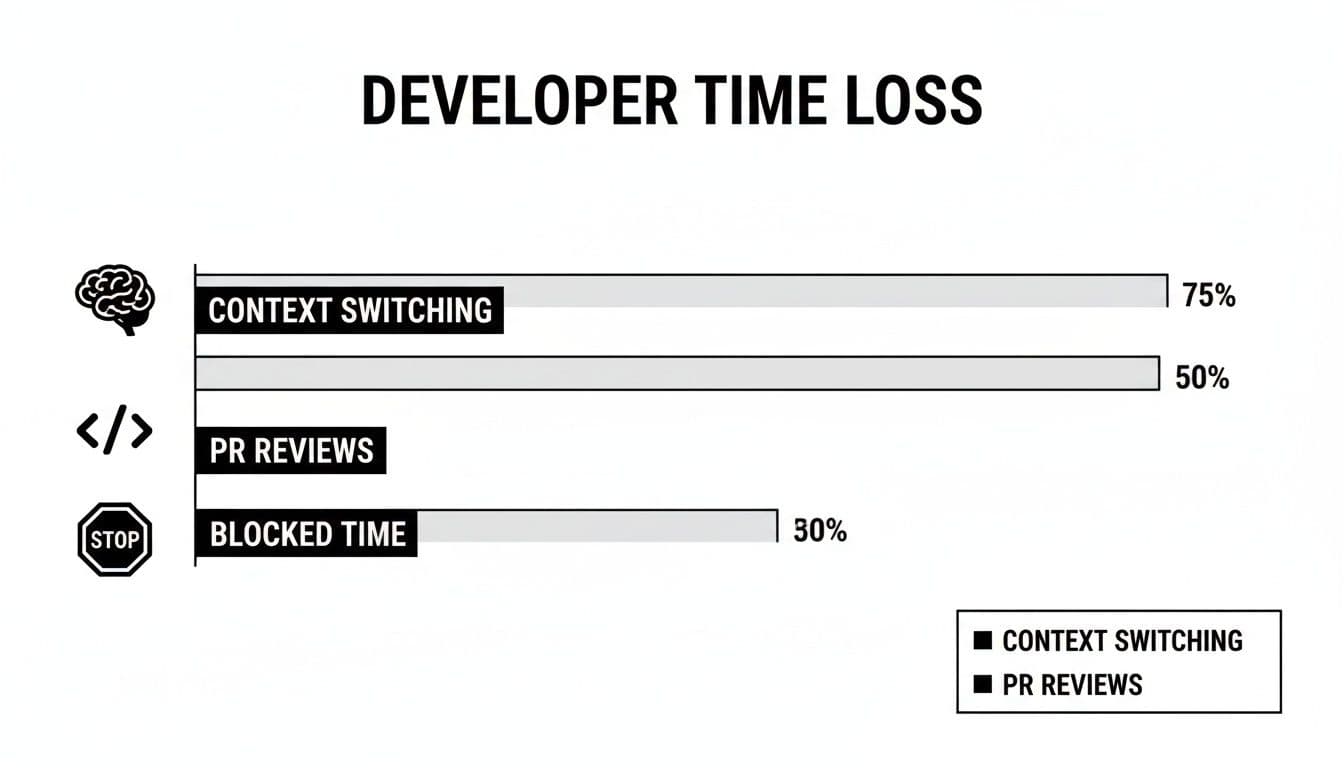
The numbers don't lie. Constant interruptions, long waits for reviews, and being blocked are massive productivity killers.
Clear, easily accessible documentation is the engine of great async work. Well-tended wikis, architectural decision records (ADRs), and detailed project specs let developers find answers on their own instead of tapping a teammate on the shoulder. When the whole team invests in documentation, everyone moves faster. Applying this kind of structure to your workflows is a key part of many incident management best practices.
Unleash a Dedicated Developer Productivity Team
For larger organizations, one of the most impactful moves you can make is to spin up a dedicated platform or developer experience (DevEx) team. Think of this group as a force multiplier. Their "customers" are your internal developers, and their entire job is to find and eliminate friction in the engineering workflow.
These teams build and maintain the "paved road"—the core infrastructure, tooling, and CI/CD pipelines—that lets product-focused teams concentrate on shipping features. The ROI on this is huge. Top-tier engineering orgs typically dedicate 2-6% of their total engineering headcount to these roles. That works out to about one DevEx specialist for every 17 to 50 developers.
They tackle the big, hairy problems that slow everyone down, like agonizingly slow build times that can bottleneck 25% of all workflows. They’re on the front lines, addressing the top complaints from developers, like interruptions and review delays that can cost a single engineer up to 2.5 hours every single day.
When you have a team whose sole focus is making life easier for every other engineer, the gains aren't just incremental—they compound across the entire organization.
4. Fine-Tune Your Engineering Toolchain
A developer's toolchain is their digital workbench. When it's sharp and well-organized, work just flows. But when it’s clunky, slow, or full of friction, every task feels like an uphill battle. Honing this entire chain—from the local machine all the way to deployment—is one of the most direct ways to boost your team's output.
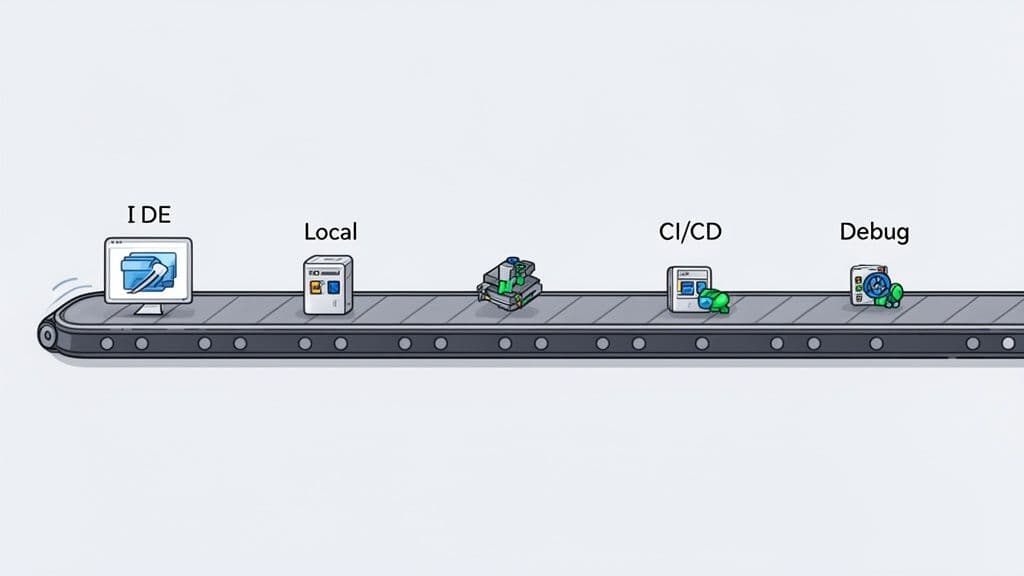
This isn't about chasing every new, shiny tool. It's about taking a hard look at your current setup, spotting the real time-sinks, and making smart changes that give your engineers their time back. Every minute spent waiting on a slow build or wrangling a mismatched environment is a minute not spent building features.
Supercharge the Local Development Environment
The journey to faster development starts right on the engineer’s machine. The Integrated Development Environment (IDE) and local setup are where developers spend the bulk of their day, so small tweaks here have a massive compounding effect.
A well-configured IDE should feel like a natural extension of the developer's mind. To get there, you have to move beyond the default settings.
- Master Shortcuts and Commands: Encourage your team to learn the keyboard shortcuts for their most common actions. Navigating with a mouse might seem quick, but shaving off a few seconds from hundreds of tiny actions every day really adds up.
- Install Smart Plugins: Modern IDEs have huge marketplaces of plugins that can automate tedious work. Linters, code formatters, and git integration tools should be non-negotiable. Look for plugins that offer intelligent code completion or help visualize complex dependencies.
- Share Configurations: Don't make every new hire reinvent the wheel. Create a team-wide IDE settings file and share it. This not only enforces consistency but gets new developers contributing from day one.
Beyond the IDE, the local environment itself is a classic source of pain. The infamous "it works on my machine" problem almost always comes down to drift between local and production setups. Using tools like Docker or other containerization tech creates development environments that perfectly mirror production, eliminating nasty surprises down the line.
Streamline Your CI/CD Pipeline for Rapid Feedback
A slow CI/CD (Continuous Integration/Continuous Deployment) pipeline is a momentum killer. When a developer pushes a commit and has to wait an hour for feedback, they're forced to switch contexts. That interruption shatters their focus and makes it that much harder to get back into the flow.
The goal should be a pipeline that delivers feedback in minutes, not hours. To get there, you need to be ruthless about hunting down bottlenecks.
- Parallelize Your Tests: Are all your tests running one after another in a long queue? Split them up to run in parallel. This is often the single biggest win for speeding up a pipeline.
- Cache Dependencies: Your pipeline shouldn't have to download the same libraries and packages from scratch for every single build. Implement caching to make this step dramatically faster.
- Optimize Your Build Process: Look at every stage of your build. Are you building unnecessary artifacts? Can you use a more efficient compiler or build tool?
By focusing on these areas, you can transform your pipeline from a frustrating waiting game into a rapid feedback machine. For a deeper look into the mechanics, you might be interested in our guide that explains what continuous integration testing is and how it all fits together.
The real purpose of a CI/CD pipeline is to give developers the confidence to ship. If the process is slow and painful, they’ll naturally become more hesitant, batching up larger changes and slowing down the whole team’s velocity.
Shorten the Debugging Loop Once and for All
Debugging is one of the most unpredictable and time-draining parts of a developer's job. A vague bug report can send an engineer on a wild goose chase for hours, trying to piece together clues and reproduce an issue a user saw for only a few seconds. This is where a huge amount of productivity gets lost.
The key is to shrink the time between a bug being reported and a developer having all the context they need to fix it. This is where traditional bug reports almost always fall short—they're manual, incomplete, and lead to frustrating back-and-forth communication.
This is precisely the problem modern debugging tools were built to solve.
Imagine a support team member finds a bug. Instead of writing a long ticket describing what happened, they use a tool like Monito. With a single click, it captures everything:
- A visual screen recording of the user's session.
- A step-by-step log of every click and keystroke.
- Complete console logs and network requests (with errors).
- Detailed environment and browser information.
This structured report is then sent straight to a project management tool like Jira or Linear. The developer who picks up the ticket doesn't have to ask "What browser were you on?" or "Can you tell me the exact steps you took?" All the information is right there, clear and unambiguous.
This approach completely changes the debugging workflow. It eliminates the guesswork and the time spent just trying to reproduce the problem, allowing developers to jump straight into the fix. By integrating a tool that provides this level of clarity, you're not just fixing bugs faster—you're tackling one of the biggest drains on developer productivity head-on.
Using AI to Enhance Developer Productivity
AI is changing the game in software development, but maybe not how you think. While AI coding assistants are incredibly powerful, they've introduced a curious problem I've seen firsthand: the "AI productivity paradox." We're generating code faster than ever, but that speed can ironically lead to slower, more painful debugging cycles down the line.
The trick is to start treating AI less like a magic code-writer and more like a strategic partner.

This isn't just a gut feeling; the data is pretty surprising. While individual developers can code up to 55% faster on specific tasks using AI, that burst of speed doesn't always help the team move faster.
One study I came across was a real eye-opener. It found that experienced developers using AI tools actually took 19% longer to resolve real-world issues. The wildest part? They believed they were working 20% faster. This disconnect shows just how easily the debugging overhead from blindly trusted AI output can sneak up on you.
This doesn’t mean we should ditch AI. It just means we need to get smarter about how we use it.
AI as a Strategic Coding Partner
Instead of prompting an AI to write an entire feature from scratch, think of it as a specialist you can delegate specific, well-defined tasks to. This approach gives you a significant boost without the risk of introducing those subtle, hard-to-find bugs that kill momentum.
Here are a few high-impact ways I've seen this work well:
- Generate the Boilerplate: Need to spin up a new component, write a standard API fetch function, or create stubs for unit tests? These repetitive tasks are perfect for an AI assistant. It saves you mental energy for the more complex logic.
- Explore Unfamiliar APIs: When you're wrestling with a new library or a clunky third-party API, you can ask your AI tool for quick examples. It’s often much faster than digging through pages of dense documentation for the exact syntax you need.
- Act as a Sounding Board: Ever get stuck on a tricky bit of logic? Try explaining the problem to your AI assistant and ask for a few different approaches. It can feel like having an instant pair programmer to help you break through a mental block.
The most effective developers I know don't just copy-paste AI-generated code. They treat it as a first draft. They critically review it, refactor it, and make sure it meets their team's quality standards. That's the real secret to avoiding the productivity paradox.
If you want to dig deeper, some platforms are doing interesting work in leveraging LLMs for developer productivity beyond simple code generation.
Shifting AI from Generation to Diagnosis
While code generation gets all the hype, AI's biggest impact on productivity might come from a totally different area: debugging. This is where the real bottlenecks hide. The hours spent just trying to reproduce a vague bug report can easily dwarf the time it takes to write the actual fix.
This is where AI can be applied with surgical precision. Instead of adding to the pile of code that needs debugging, it can make the debugging process itself radically more efficient.
Tools like Monito are a great example of this future. When a bug is reported, Monito doesn't just snap a screenshot. It records the entire user session—every click, network request, and console log—and then uses AI to make sense of all that data.
This approach completely flips the script on how AI assists developers:
- It Captures the Full Story: First, it gathers a complete, structured dataset of exactly what went wrong during a user's session. No more guesswork.
- It Analyzes the Noise: The AI then sifts through all that technical data, spotting patterns and anomalies that a human would likely miss.
- It Delivers Actionable Clues: Finally, it surfaces the probable causes and suggests concrete next steps right inside the bug report in Jira or Linear.
This transforms AI from a code generator into a powerful diagnostic tool. The focus shifts from creating more code to bringing clarity to the existing code. By automatically triaging issues and pointing developers in the right direction, this kind of AI tackles a massive productivity killer head-on, giving engineers their most valuable resource back: time.
Measuring Productivity Without Micromanaging
We've all heard the old saying, "What gets measured gets improved." While that's true, applying it to software engineering is a minefield. Measuring the wrong things doesn't just miss the mark; it can actively poison your team's culture and create some truly backward incentives. If you want to actually understand and boost developer productivity, the first step is to throw out archaic, deeply flawed metrics like lines of code or story points.
These old-school numbers reward busyness, not progress. Smart engineering leaders are shifting to modern frameworks that give a much more holistic view of team health and velocity. This turns measurement from a surveillance tool into an instrument for empowerment.
Adopt a Modern Measurement Framework
The trick is to track a balanced set of metrics that cover the entire software delivery lifecycle, not just one isolated part of it. Two of the best frameworks out there for this are DORA and SPACE. They move the focus from individual output to the health of the entire system and the well-being of the people building it.
-
DORA Metrics: This framework is all about the speed and stability of your delivery pipeline. It zeros in on four key signals: Deployment Frequency, Lead Time for Changes, Change Failure Rate, and Time to Restore Service. Together, they give you a brutally honest look at how well your team ships reliable code.
-
The SPACE Framework: This one offers a more comprehensive, human-centric view. It measures Satisfaction, Performance, Activity, Communication, and Efficiency. SPACE gets that a happy, well-supported developer is a productive one, capturing vital signs like developer satisfaction and how well the team is collaborating.
A solid measurement strategy mixes the hard data with the human story. DORA tells you what's happening in your pipeline, but SPACE helps you understand why by looking at the developer experience behind the code.
Focus on Systems, Not Individuals
Here’s the golden rule, the one you can’t ever break: never, ever use these metrics for individual performance reviews. The second you tie a developer's bonus to their commit count, you're just asking them to game the system. You’ll get a lot of tiny, meaningless commits, but you won't get better software.
Instead, use this data to hunt for systemic bottlenecks. Is your lead time for changes dragging? Maybe the code review process is the real culprit. Seeing a spike in the change failure rate? It might be time to invest in a better automated testing suite.
This approach flips the script on measurement. It stops being a top-down judgment and becomes a collaborative tool for finding and fixing problems. The goal isn't to call out the "slow" developers; it's to find and remove the friction that's slowing everyone down. That's how you build trust and empower your team to truly own their process.
Answering Your Top Developer Productivity Questions
When teams start digging into productivity, a few common questions always seem to pop up. Here are some quick, no-nonsense answers to the things engineering leaders often ask.
Is There a "Magic Bullet" Metric We Should Track?
The short answer is no. If you try to hang your hat on a single metric—whether it's lines of code, pull requests, or even deployment frequency—you'll inevitably create blind spots and incentivize the wrong behavior.
The best approach is to look at a balanced set of metrics that give you the full picture. Think about using frameworks like the DORA metrics or the SPACE framework. These help you see how speed, quality, and developer satisfaction are all connected, so you’re not just optimizing one at the expense of another.
How Does Team Size Really Impact Productivity?
This one’s pretty clear from experience: smaller, more focused teams almost always get more done. The "two-pizza team" concept holds up because it dramatically cuts down on communication overhead. Fewer people means faster decisions and less time spent just trying to stay aligned.
Once a team gets too big, the number of communication lines explodes, and things can grind to a halt. You can manage larger teams, of course, but it requires a serious investment in clear processes and fantastic documentation to keep everyone moving in the same direction.
Are Meetings the Enemy of Productivity?
Not all meetings, but bad meetings absolutely are. An unstructured get-together with no clear agenda is a massive time sink.
On the other hand, a well-run meeting with a tight agenda, a clear goal, and only the necessary people can be a huge accelerator. The trick is to make asynchronous communication your default. Treat synchronous meetings like a scarce resource, reserved only for thorny problems, brainstorming, or big decisions that just can’t be sorted out over Slack or email.
A productive meeting gives everyone time back; an unproductive one steals an hour from ten different people. The goal is to make every minute spent in a meeting a high-leverage activity that unblocks the entire team.
By focusing on a holistic view of performance and being intentional about how you communicate, you can build a culture where productivity isn’t just a buzzword—it's sustainable.
Ready to eliminate the biggest time-waster in your debugging workflow? Monito turns vague bug reports into developer-ready tickets with one click. Get started for free and give your team their time back.