Manual Testing vs Automation Testing: Finding the Right Strategy
Explore our guide on manual testing vs automation to understand key differences, calculate ROI, and build a hybrid QA strategy that boosts software quality.
The whole debate over manual testing vs automation really boils down to one thing: are you using a person or a script? Manual testing leans on human intelligence and intuition to poke around and explore software. Automation, on the other hand, uses code to run the same tests over and over again with incredible speed.
The smartest teams I've worked with don't pick a side. They realize the best approach is to blend both for a truly solid QA strategy.
Understanding Manual vs Automated Testing
Thinking about manual and automated testing as a competition is a mistake. It’s more about knowing which tool to pull out of the toolbox for a specific job. They're partners, not rivals.
Manual testing is an art. It's about human-led exploration, which is absolutely essential for things that need a human touch, like checking if a feature feels right (usability) or just randomly trying to break things (ad-hoc testing). Automation is the science—it’s about scripted precision, built for speed and consistency where humans would get bored and make mistakes.
This distinction is more important than ever. To really get why, look at how other fields have evolved. For example, businesses now rely on automated data extraction to get past the soul-crushing work of manual data entry. The same logic applies here. We automate the predictable stuff so our talented people can focus on the unpredictable.
Manual vs Automation At a Glance
Let's quickly break down the core differences. The table below gives you a high-level snapshot of what separates these two powerful approaches.
| Attribute | Manual Testing | Automation Testing |
|---|---|---|
| Execution Method | A human tester directly interacts with the application. | Software scripts and tools run predefined steps automatically. |
| Best For | Exploratory, usability, and ad-hoc testing; validating new features. | Repetitive, high-volume tasks like regression and performance testing. |
| Human Element | High. Relies on intuition, creativity, and subjective feedback. | Low. Follows rigid logic and instructions without any deviation. |
| Initial Setup | Low effort. Testers can start exploring almost right away. | High effort. Requires script development, framework setup, and maintenance. |
| Speed | Slower, especially when dealing with large, complex test suites. | Blazing fast. Can run thousands of tests overnight without breaking a sweat. |
| Reliability | Susceptible to human error and inconsistency, especially over time. | Extremely consistent and reliable for the checks it's been told to perform. |
This table helps frame the conversation, but the real magic happens when you understand the philosophies behind each method and how they complement one another in the real world.
Core Philosophies at Play
The two methods are built on completely different foundations. Manual testing is powered by human curiosity and that uncanny ability to spot weird issues a script would never catch. This makes it irreplaceable when you’re testing a brand-new feature or a really complex user journey for the first time.
Automation is all about stability. Its job is to confirm that existing features didn't break after the latest code change—a task that would be mind-numbingly repetitive and prone to error if left to a human.
The real paradox here is that great automation almost always starts with great manual testing. Without a human first exploring, thinking, and deciding what's actually worth checking, an automated script is just code executing in a vacuum.
This symbiotic relationship is changing the face of QA. We're seeing a clear trend where test automation has taken over 50% or more of manual testing duties in 46% of organizations. This shows its incredible value for regression and smoke testing.
Even so, manual testing isn’t going anywhere. It’s still the only way to get genuine human insights into the user experience. You can see more on how teams are adapting by looking at recent software testing statistics and trends.
Making the Call: Key Criteria for Your Testing Strategy
Deciding between manual and automated testing isn't a one-and-done choice. It’s an ongoing strategic conversation. Each method has its place, and the real trick is knowing when to use which. To build a QA process that actually works, you need to weigh them against the right criteria: speed, coverage, cost, and reliability.
A great starting point for any team is to ask a simple question: are we testing something brand new, or are we checking something that already exists?
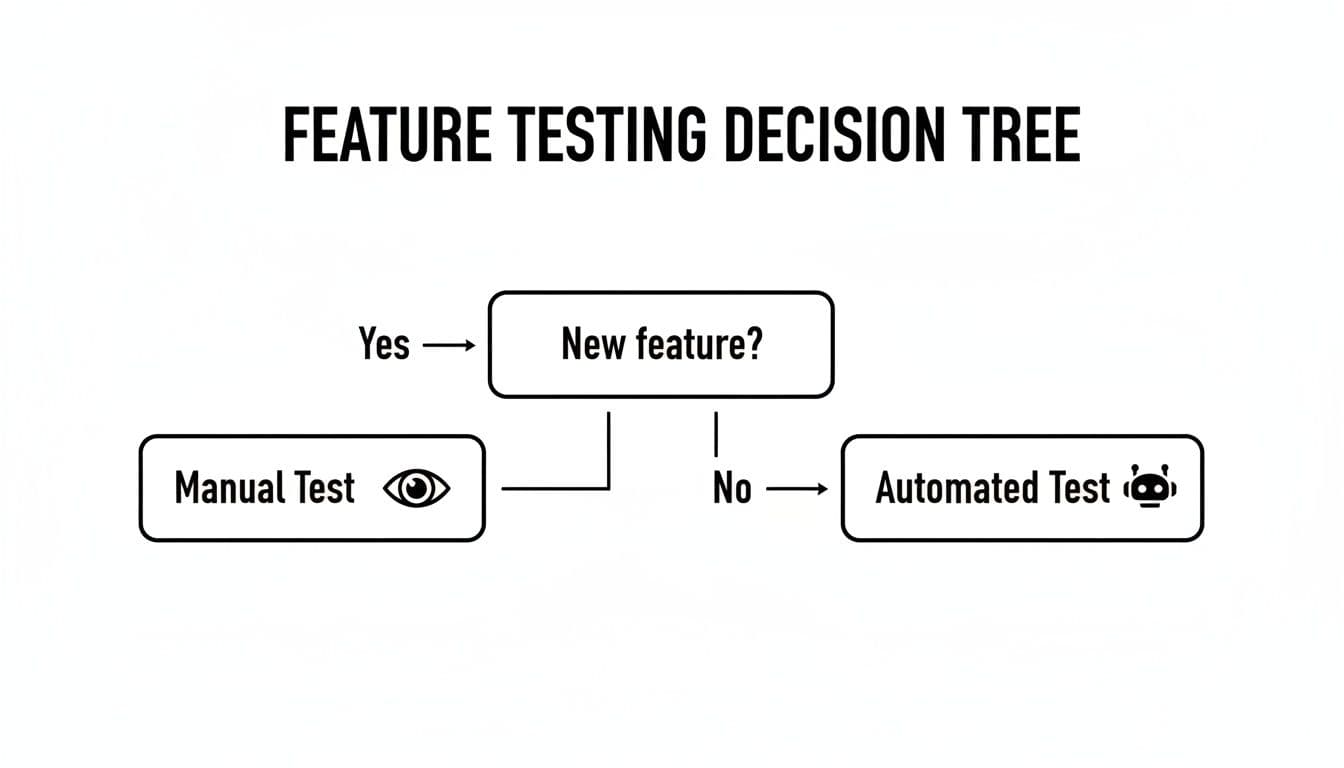
This flowchart nails a core concept. Manual testing is your go-to for exploring the unknown, while automation acts as a safety net for everything you've already built. But that's just the beginning. Let's dig deeper.
Speed and Efficiency
When it comes to the manual testing vs automation debate, raw speed is the most obvious difference. Automated tests are lightning-fast, capable of running thousands of checks overnight while the team is asleep. This is an absolute game-changer for regression testing, where the whole point is to quickly confirm that your latest code changes didn’t just break everything.
On the flip side, manual testing delivers a different kind of speed: immediate, qualitative feedback. A sharp human tester can jump into a new feature or API endpoint right away, exploring the user flow and spotting weird usability quirks long before an engineer could even finish writing the first line of an automation script.
Test Coverage and Scope
Test coverage is where things get more interesting. Automation is brilliant for achieving broad, shallow coverage. It can tirelessly check every single item in a long dropdown menu or hammer a form with hundreds of different data combinations. Trying to do that manually would be impractical and soul-crushing.
But manual testing offers a deep, contextual coverage that scripts just can't replicate. A human tester can spot a button that’s a few pixels off, notice an awkward workflow, or flag a confusing error message. This is the heart of exploratory testing—finding bugs that don't violate a specific requirement but absolutely ruin the user experience.
Automation tells you if your code is functionally correct. Manual testing tells you if your product is actually usable. The difference is critical for building software that people love.
Reliability and Maintenance Overhead
Reliability is a double-edged sword here. Once you write a solid automated test, it will execute its checks with robotic precision every single time. No fatigue, no human error, no forgotten steps.
The catch? Maintenance. Your test suite is a living, breathing codebase that needs constant care. When the UI changes or the underlying logic is refactored, your scripts will break. This maintenance overhead is a serious, ongoing cost that catches a lot of teams by surprise. A neglected suite quickly fills up with "flaky tests"—tests that fail for no clear reason, causing everyone to lose faith in the results.
Manual testing, in contrast, requires little more than keeping test case documents up to date. Its reliability, however, hinges entirely on the skill and focus of the human tester, which can naturally fluctuate.
Financial Implications and ROI
The money side of things is also completely different for each approach, which makes a simple cost comparison almost impossible.
-
Manual Testing Costs: This is almost entirely an ongoing operational expense (OpEx). You're paying for people's time. The initial investment is low, but the cost grows in a straight line—if you want more testing, you need to hire more people or pay for more hours.
-
Automation Testing Costs: This starts with a hefty upfront capital expense (CapEx). You're paying for specialized tools, framework development, and the salaries of skilled automation engineers. The payoff comes later, with a high return on investment (ROI) as your automated suite handles the grunt work, freeing up your QA team for more valuable tasks and helping you ship faster.
Here’s how the cost structures stack up side-by-side:
| Cost Factor | Manual Testing | Automation Testing |
|---|---|---|
| Initial Investment | Low (hiring, basic tools) | High (specialized engineers, tools/licenses) |
| Ongoing Costs | High (salaries, repetitive execution time) | Moderate (script maintenance, infrastructure) |
| Cost Scaling | Scales linearly with test volume | Scales efficiently with test volume |
| Return on Investment | Immediate, but limited to individual test runs | Delayed, but compounds over time |
At the end of the day, the smartest strategies don't pick one over the other. They create a balanced ecosystem where automation handles the repetitive, high-volume regression checks, while skilled manual testers apply their creative problem-solving skills to the complex, user-facing challenges. This hybrid model gives you the best of both worlds: speed and deep, meaningful quality.
While everyone's talking about automation, let's get real: strategic manual testing is what separates a good product from a great one. Sure, automation is a powerhouse for repetitive tasks, but it's missing a critical ingredient—human intuition. Knowing when to lean on that human touch isn't just a good idea; it's essential for a truly solid quality process.
There are specific moments in development where creativity, adaptability, and the kind of feedback only a person can give are non-negotiable. These are the sweet spots where putting your manual testing effort will pay back tenfold in quality and user happiness.
Uncovering the Unknown with Exploratory Testing
Think of exploratory testing as the purest form of manual testing. It’s less about following a rigid script and more about giving a curious tester the freedom to just use the application. They act like a real user, constantly asking "what if?" and poking around in corners the developers never even thought of.
This is how you find those tricky, edge-case bugs that an automated script would almost certainly fly right past. A script can tell you if a button works; a human tells you if the button feels out of place or if the label is confusing.
Key Insight: Exploratory testing isn't just about bug hunting. It's about deeply learning the software. This builds a rich, contextual understanding that helps you write much smarter automated tests down the line.
Gauging the Human Experience with Usability Testing
Your app can be 100% bug-free and still be a total flop if it’s a pain to use. This is usability testing's time to shine, and it’s a fundamentally human job. No script can tell you if a user journey feels clunky, if the color scheme is an eyesore, or if the whole thing just feels off.
These tests are all about watching real people interact with your software and getting their unfiltered thoughts.
- First Impressions: What’s the gut reaction when someone opens the app for the first time? Is the onboarding clear or confusing?
- Task Completion: Can people actually do what they came to do without getting stuck or frustrated?
- Emotional Response: Does the app feel polished and trustworthy, or does it come across as cheap and unreliable?
Automation can confirm a feature works. Only a person can tell you if it works for a person.
Navigating Constant Change in New Features
When a feature is fresh out of the oven and changing daily, trying to automate tests for it is a waste of time. The UI is in flux, the logic is being tweaked, and requirements are shifting. Any script you write today will probably be broken by tomorrow. That's an automation maintenance nightmare you don't need.
In these early, chaotic stages, manual testing gives you the flexibility to keep up. A tester can jump on a new build, give immediate feedback, and validate changes on the fly without the heavy lift of writing and fixing scripts. This rapid feedback loop is gold for agile teams. It lets developers make quick adjustments, ensuring the feature is solid before it ever gets to the point where you'd want to build a regression suite for it.
Making the Case for Test Automation
While a skilled manual tester's insight is irreplaceable, automation is the powerhouse behind modern software delivery. Deciding when to bring in automation isn't just a technical choice; it's a strategic one that can separate fast-moving teams from those bogged down by slow, risky release cycles. The trick is to automate where it counts most: on the repetitive, predictable, and high-volume tasks.
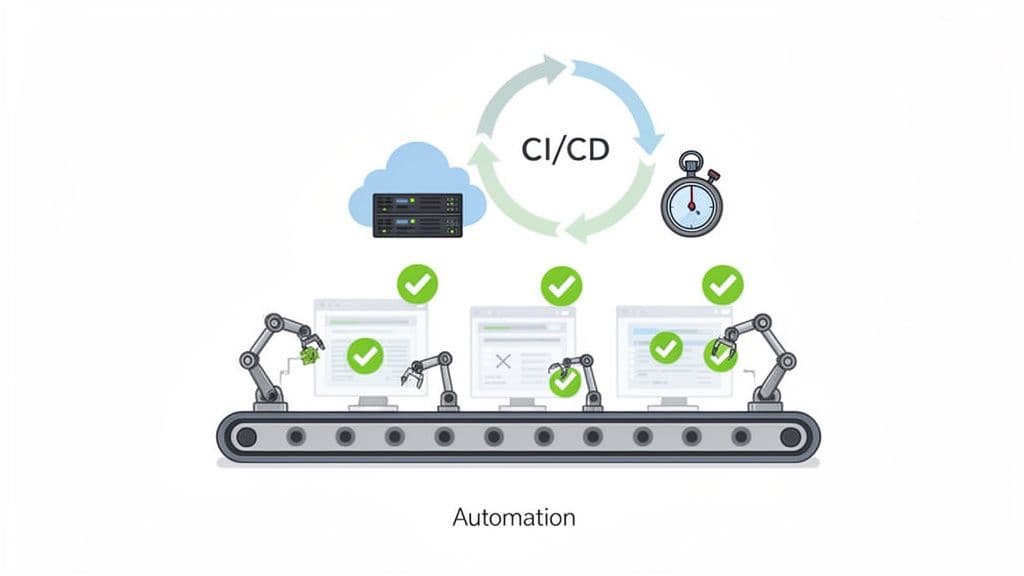
Automation isn't about getting rid of testers. It’s about letting them focus on high-impact work by taking the tedious stuff off their plates. It truly shines in scenarios where you need unwavering consistency, speed, and scale, turning QA from a bottleneck into a launchpad.
Safeguarding Stability with Regression Testing
The most common and valuable use for automation is, without a doubt, regression testing. Every time a developer commits new code, they risk unintentionally breaking something that used to work perfectly. Manually re-testing an entire application after every minor update isn't just slow—it's practically impossible if you want to ship code more than once a quarter.
This is where an automated regression suite becomes your safety net. These scripts can run through thousands of checks in minutes, giving you a near-instant health report on your codebase. It’s the best way to ensure new features don't resurrect old bugs, giving your team the confidence to deploy often.
Treat your test suite like you treat your product—as a living software project. It needs solid planning, clean code, and regular maintenance. Otherwise, you end up with "flaky" tests that nobody trusts.
Getting this right is key to long-term success. You can dive deeper into building a reliable suite in our guide on automated testing best practices.
Simulating Reality with Performance and Load Testing
Some tests are just not humanly possible. Could you get 5,000 people to log in to your app at the exact same second to see if it crashes? This is the domain of performance and load testing, and they are perfect candidates for automation.
Scripts can be written to hammer your servers, APIs, and databases with predictable, massive traffic loads. This helps you find performance bottlenecks and breaking points long before your customers do.
- Load Testing: Simulates expected traffic to see how the system handles a normal day.
- Stress Testing: Intentionally overloads the system to find its absolute limit.
- Spike Testing: Mimics sudden, massive surges in users, like a Black Friday sale.
These automated tests deliver hard data on response times, error rates, and resource usage—metrics you could never gather by hand.
Accelerating Delivery with CI/CD Integration
The entire point of modern software development is to ship code quickly and safely through continuous integration and continuous delivery (CI/CD). This is a world where builds, tests, and deployments happen automatically. In this environment, test automation isn't just a nice-to-have; it's absolutely essential.
By plugging your automated test suite directly into your CI/CD pipeline, every single code commit can trigger a full regression run. If a test fails, the pipeline halts, and the bad code never makes it to production. This creates a tight feedback loop that catches bugs just minutes after they're written, slashing the cost and effort required to fix them. In any manual testing vs automation discussion, this integration is a non-negotiable for building quality directly into your workflow. As you scale, looking into 12 AI testing tools can offer even more sophisticated ways to enhance these pipelines.
Calculating the ROI of Your Testing Strategy
Choosing between manual testing and automation is far more than a technical debate—it's a critical financial and strategic move. Your decision will shape your budget, your team's structure, and the speed at which you can ship a high-quality product. To truly understand the return on investment (ROI), you have to look past the initial price tag and consider the total cost over the long haul.
Automation often looks like a hefty capital expense (CapEx) right out of the gate. You're looking at licensing fees for sophisticated tools, the cost of architecting a reliable testing framework, and the competitive salaries of skilled automation engineers. These upfront costs can definitely feel daunting, especially for smaller teams or startups just getting off the ground.
Manual testing, on the other hand, runs on an operational expense (OpEx) model. The primary cost here is the ongoing salary and time commitment of your QA team. While it’s certainly cheaper to start, these costs grow in a straight line. If you need to double your testing, you often have to double your team, which simply isn’t a sustainable path for a growing product.
The Long-Term Financial Equation
The real story of ROI doesn't show up in the first month; it unfolds over quarters and years. The high initial investment in automation is designed to pay for itself by slashing the long-term operational cost of running the same tests over and over again.
The core financial trade-off is clear: automation requires a significant upfront investment to achieve long-term, scalable efficiency, while manual testing offers a low entry cost but incurs higher, sustained operational expenses as the product grows.
Consider this common scenario: a full regression suite takes a manual tester 40 hours to execute before a release. An automated script can run the same suite overnight in just a few hours. That single move frees up 35+ hours of an expert's time every single release cycle. That time can be reinvested into higher-value work, like exploratory testing on new features, which directly boosts product quality and innovation. Our guide on regression testing best practices dives deeper into how to maximize this kind of efficiency.
Beyond the Numbers Team Skills and Dynamics
Your team’s current skills are a massive piece of the ROI puzzle. If you have a team of sharp manual testers who are brilliant at exploratory and usability testing, they provide immense value right away without the steep learning curve of a new automation framework. Forcing them into complex coding tasks they aren't prepared for is a recipe for tanking both productivity and morale.
But relying only on manual testing can create a serious bottleneck as your application grows more complex. This is where a hybrid approach often delivers the best ROI. It lets manual testers focus on their strengths—creativity and user empathy—while automation engineers build a solid safety net for all your existing features.
Despite the buzz about AI replacing manual roles, the data tells a more interesting story. According to the 2026 State of Testing Report, only 30.9% of teams that adopted AI actually reported a reduced need for manual testers. That’s in stark contrast to the 44.1% of non-adopters who expected that would happen. It shows that the nuanced, judgment-based work of a human tester remains incredibly difficult to replace. You can explore the full State of Testing report for more insights.
This really drives home the idea that the smartest investment is usually a blended one. Let automation handle the scale and repetition, freeing up your human experts to do what they do best: think critically about the user experience.
How to Build an Effective Hybrid Testing Strategy
The whole manual testing vs. automation debate misses the point. It’s not about picking a winner; it's about building a single, cohesive team where both approaches support each other to ship better software. A smart hybrid strategy uses the raw speed of automation for the predictable, repetitive stuff, freeing up your human testers to focus on the complex, creative, and user-centric challenges.
When you get this right, quality assurance stops being a bottleneck at the end of the pipeline and becomes a core part of how you build things.
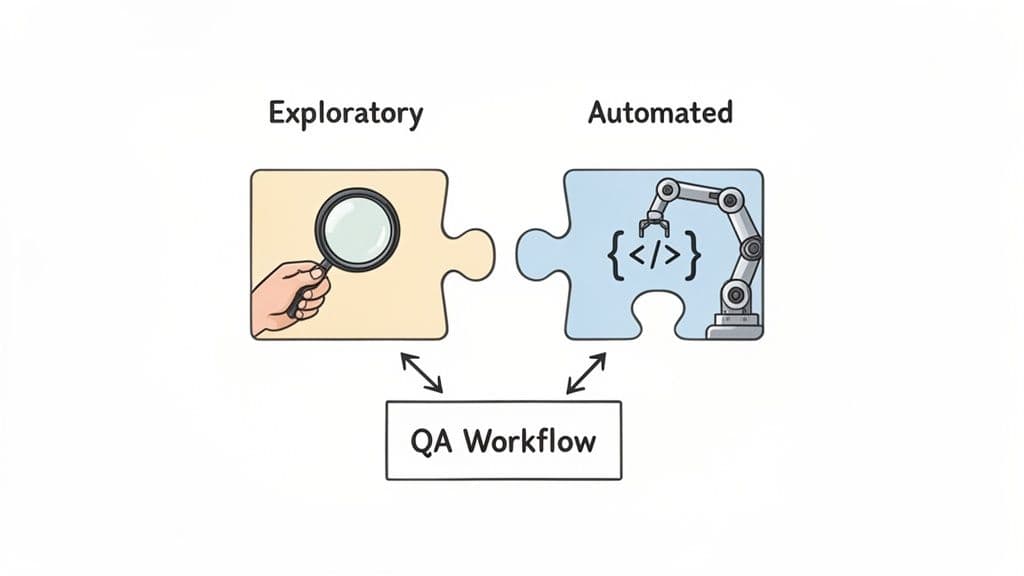
But this kind of synergy doesn't just happen. You need a deliberate plan that clearly defines who does what and makes collaboration between manual testers, automation engineers, and developers second nature.
Identify Prime Candidates for Automation
Your first move is to figure out which tests give you the most bang for your buck when automated. Just because you can automate something doesn’t mean you should. The best candidates for automation have a few things in common.
Start by targeting tests that are:
- Highly Repetitive: Think smoke tests, regression checks, or any other task someone has to do over and over. Automation is perfect for these because it never gets bored or makes careless mistakes.
- Stable and Predictable: Focus on mature features where the user interface isn't changing every week. Trying to automate a feature that's still in flux is a recipe for endless script maintenance and frustration.
- High-Risk and Business-Critical: Core user flows, like the payment process or user login, absolutely have to work. Automating these tests means they get checked constantly and reliably.
A well-run hybrid model creates a powerful feedback loop. Manual testers explore the application and find new bugs or weird behaviors. The most important of these discoveries then become candidates for the automated regression suite, which frees up the humans to go explore the next new feature. It's a cycle that continuously strengthens your quality safety net.
Redefine the Role of Manual Testers
Once automation is handling all the grunt work, the job of the manual QA specialist gets a serious upgrade. They're no longer just following a script; they become quality champions who focus on the human experience of the software. Their expertise becomes more critical, not less.
Their new focus shifts to areas like:
- Exploratory Testing: Actively hunting for those weird edge-case bugs and usability problems in new features that scripts would never find.
- Usability and Accessibility Testing: Making sure the app is intuitive, easy for everyone to use, and actually delivers a good experience.
- Complex Scenario Validation: Pushing the boundaries with complicated workflows that are just too difficult or impractical to script.
By zeroing in on these high-impact areas, manual testers provide insights that no automated check ever could. For more on building this kind of quality-first mindset, check out our guide on software testing best practices.
Foster a Collaborative Feedback Loop
A hybrid strategy falls apart fast if your manual and automation teams work in different worlds. Success hinges on creating a constant flow of information where everyone shares a common understanding of quality. This means developers, manual QAs, and automation engineers need to be in lockstep from the very beginning.
This kind of collaboration ensures that testability is designed into features, not just tacked on at the end. Things like regular check-ins, shared documentation, and integrated tools are non-negotiable. Tools like Monito, for instance, help bridge communication gaps by making it easy to create crystal-clear bug reports that everyone can understand and act on. When the whole team is aligned, you get a balanced, efficient, and seriously effective quality program that helps you ship better software, faster.
Common Questions, Cleared Up
Let's tackle some of the questions that always pop up when teams debate manual vs. automated testing. These are the conversations I've had countless times, and the answers usually come down to finding the right balance.
Can Automation Completely Replace Manual Testers?
Plain and simple: no. Think of automation as the workhorse for the repetitive, predictable stuff—like regression suites. It’s fantastic for that. But it completely lacks human curiosity, empathy, and the ability to spot something that just feels wrong.
You’ll always need a human eye for exploratory testing, usability checks, and anything that requires subjective feedback on the user experience. The two approaches aren't enemies; they're partners.
Is Manual Testing Obsolete in Agile?
Far from it. In an agile world, manual testing is arguably more important than ever. While automation is busy making sure the continuous integration pipeline doesn't break, manual testers are right there in the trenches with developers.
They provide that immediate, qualitative feedback on new features that are still being built. This human check allows the team to pivot quickly, long before it makes sense to invest time in writing a stable automation script for a feature that might change tomorrow.
The Bottom Line: The best QA strategies don't force a choice. They create a hybrid model where automation acts as a reliable safety net for what's already built, while manual testing pushes the boundaries on what's new.
Which One Is More Cost-Effective in the Long Run?
Manual testing looks cheaper at first glance—no expensive tools, no specialized engineers. But for stable, repetitive tests, test automation almost always wins the long game with a much higher return on investment (ROI).
The initial investment in tools and training is real, but it's dwarfed by the long-term savings. You get drastically faster test execution, which means quicker releases. And just as importantly, you free up your manual testers to do what they do best: think critically and explore the product like a real user would.
Bug reporting shouldn't be a bottleneck. With Monito, describe the failing flow in plain English and run it in a browser to get a report with captured actions, screenshots, and logs. See how you can streamline your debugging workflow at Monito.dev.