Kept for existing links. Monito runs plain-English end-to-end browser tests.
How to Improve Team Collaboration (how to improve team collaboration)
Discover how to improve team collaboration with proven strategies. A practical playbook with workflows, tools, and culture tips to boost productivity.
To really improve team collaboration, you have to fix the human systems first. Throwing a new tool at the problem won't work if the underlying processes are a mess. It all begins with defining clear roles, building consistent team rituals, and designing frictionless workflows for the everyday grind of bug reporting and feature handoffs.
Why Modern Collaboration Is Falling Apart
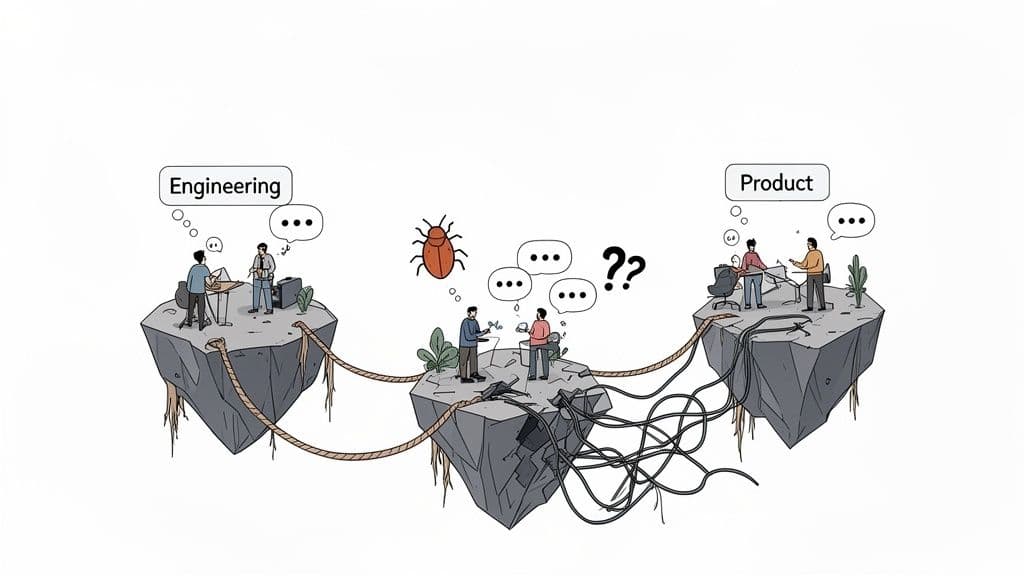
Let’s be honest for a second: the way many software teams work together is fundamentally broken. And this isn't just about the shift to remote work. The problem is much deeper, rooted in the daily friction that quietly drains our energy and brings progress to a grinding halt. We've all been there.
This breakdown shows up in those ambiguous bug reports that lack any real context, sparking endless back-and-forth Slack threads. It's the siloed knowledge that turns developers into detectives, hunting for answers instead of shipping code. These seemingly small inefficiencies pile up, creating a vicious cycle of frustration that torpedoes both productivity and morale.
The Real Cost of Disconnected Teams
When the lines of communication get fuzzy between engineering, QA, and product, the consequences are very real and very expensive. Developers lose hours trying to reproduce vague bugs, product managers are forced to prioritize fixes with half the story, and QA engineers get stuck re-testing the same issues over and over.
This isn’t just a minor annoyance; it hits the bottom line hard. The fallout typically includes:
- Wasted Development Cycles: Engineers burn precious time on administrative ping-pong instead of tackling the complex problems they were hired to solve.
- Delayed Product Releases: Projects get bogged down by communication bottlenecks that were entirely preventable, pushing timelines further and further out.
- Tanking Team Morale: Constant frustration and a feeling of spinning your wheels is a fast track to burnout and disengagement.
It's no surprise that this disconnect has contributed to employee engagement hitting a 10-year low at just 31%. This collaboration crisis costs the global economy a mind-boggling US$9.6 trillion. Meanwhile, highly engaged teams are outperforming their peers by 23% in profitability. You can find more on these workplace collaboration statistics if you dig in.
Moving Beyond Blame to Find Solutions
It’s tempting to point fingers when things go wrong, but the problem is rarely about any one person’s effort. Most of the time, the culprits are broken processes and mismatched tools that pit teams against each other instead of uniting them.
A brilliant engineer can't fix a bug they can't reproduce. A sharp product manager can't make smart calls with incomplete data.
The first real step is to improve communication in the workplace, because that's where true collaboration begins. Once you accept that the system—not the people—is the issue, you can start hunting for the real sources of friction. This guide will help you pinpoint those exact struggles on your own team, validating what you're feeling and giving you a clear path to practical, effective solutions.
Building a Foundation of Clear Roles and Rituals
Let's be honest: no tool, no matter how shiny, can fix a broken team dynamic. Technology just magnifies what's already there. It makes good habits better, but it makes bad habits a whole lot faster. If you really want to improve how your team works together, you have to start with the human element.
The bedrock of great collaboration is clarity and predictability. This boils down to two things: clearly defined roles and consistent team rituals. When everyone knows who owns what and how to engage with each other, all that friction that bogs teams down just starts to melt away. This isn't about adding bureaucracy; it’s about taking the guesswork out of daily work.
Defining Ownership with a RACI Matrix
One of the most common collaboration killers is confusion over who does what. Who has the final say on a new feature? Who needs to know when a critical bug is fixed? A simple but powerful tool called a RACI matrix can cut through this chaos by clarifying roles for any project or task.
RACI is an acronym for:
- Responsible: The person (or people) doing the hands-on work.
- Accountable: The single person who ultimately owns the outcome. This is the buck-stops-here role, and there can only be one.
- Consulted: The experts you bring in for their opinion before a decision is made.
- Informed: People you keep in the loop on progress, but who aren't directly involved.
Think about a critical bug fix. The developer pushing the code is Responsible. Their engineering manager is Accountable for the successful deployment. A product manager might be Consulted on the user impact, and the customer support team is Informed so they can update anxious customers.
By mapping this out before a crisis strikes, you’re not just assigning tasks—you’re creating a playbook. It prevents the "too many cooks in the kitchen" scenario and makes sure the right people are involved at the right time.
Establishing Productive Team Rituals
Beyond individual roles, the best teams run on a shared rhythm of rituals. These are just structured, recurring practices that build trust and create a safe space for open communication. They are how you turn vague company values into real, day-to-day actions.
Take the blameless post-mortem, for example. After something goes wrong, the goal isn't to find someone to blame. The goal is to understand what went wrong with the system or the process. This ritual makes it safe for people to be honest, which is the only way you build more resilient systems.
A few other rituals can make a huge difference:
- Structured Feedback Sessions: Get beyond ad-hoc comments. Creating a regular, facilitated space for constructive feedback helps everyone grow and improves the quality of the work itself.
- Weekly Wins and Demos: Set aside dedicated time to celebrate progress, even the small stuff. This builds momentum and gives everyone a window into what their teammates are working on.
These rituals are the glue that holds a team together. They create a shared cadence for communication, making collaboration something you do on purpose, not by accident. When you invest in these human systems first, you build an environment where any tool you bring in is set up to succeed.
Designing a Frictionless Engineering Workflow
Solid foundations are essential, but the real magic happens in your day-to-day workflow. This is where the rubber meets the road—the practical mechanics of how an idea or bug report moves from discovery to resolution. A truly effective engineering workflow is all about minimizing friction at every single step, transforming what used to be a chain of frustrating blockers into a smooth, predictable process.
We can really nail this down by focusing on three core phases: triage, handoffs, and review. When you optimize each one, you start to eliminate the guesswork and miscommunication that so often grinds development to a halt. The goal is simple: make the right thing the easy thing for everyone involved.
This visual gives a great overview of the foundational pieces that hold up a high-performing collaboration process.
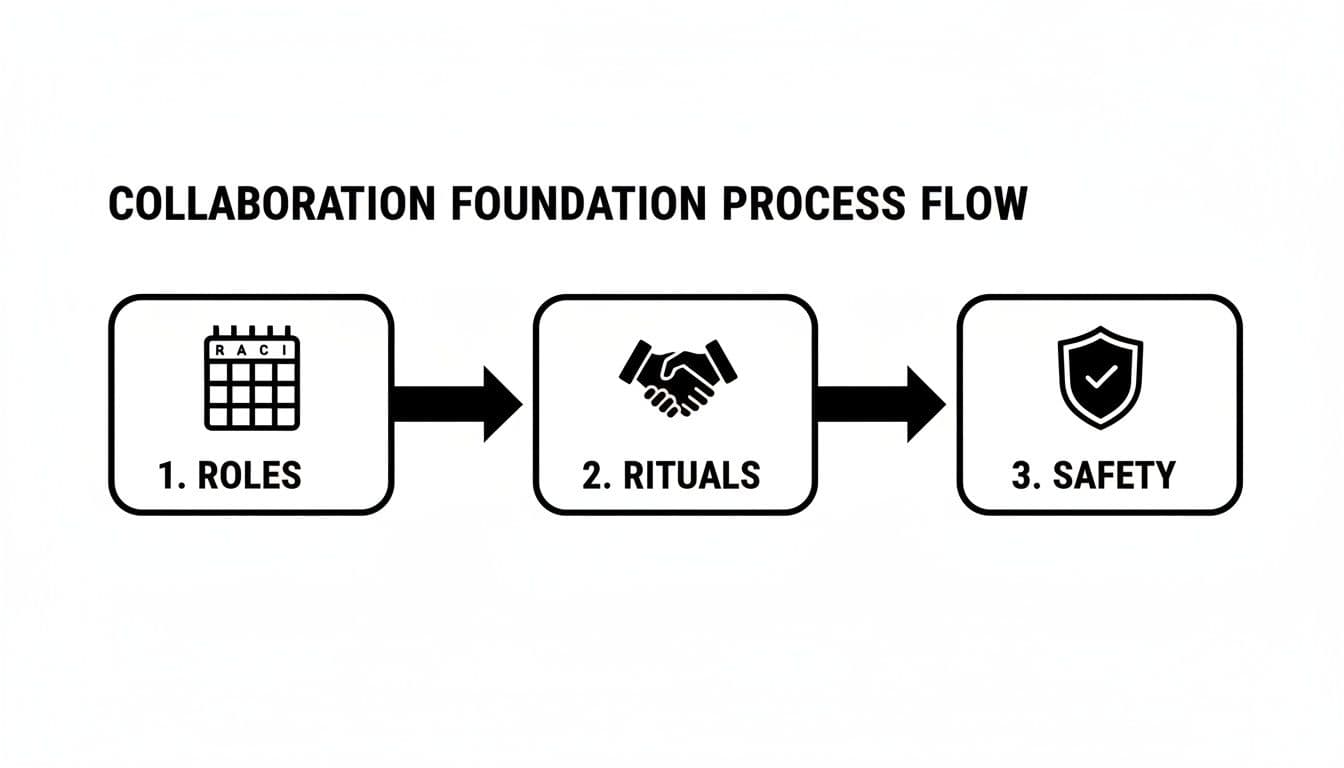
As you can see, a great workflow doesn't exist in a vacuum. It’s built on clearly defined roles, consistent rituals, and a culture where people feel safe to contribute.
Mastering the Art of Triage
Triage is your first line of defense against chaos. It’s the system you use for sorting, validating, and prioritizing incoming work—especially bug reports—so your team is always focused on what actually matters. Without a solid triage process, I’ve seen teams burn countless hours on low-impact issues while critical problems just fester in the backlog.
A great triage system has to be both swift and decisive. It should quickly answer a few crucial questions for every new ticket:
- What's the real impact? Is this a tiny UI glitch affecting one user, or a critical failure blocking a core feature for thousands?
- How urgent is this? Does it need a hotfix right now, or can it be scheduled for the next sprint?
- Do we have enough information? Is the report clear and actionable, or is it a vague complaint that’s going to require a lengthy back-and-forth?
A disorganized triage process is a direct drain on engineering resources. Teams without one spend far too much time in a reactive state, just putting out fires instead of building value. A structured approach ensures your engineering effort is always aligned with business priorities and user needs.
Perfecting the Handoff
If there’s one place where collaboration consistently breaks down, it’s the handoff. This is any point where a task moves from one person or team to another—from customer support to engineering, from a PM to a developer, or from a developer to QA.
We’ve all seen a bad handoff. It looks like a one-sentence bug report: "The login button is broken." That’s it. It’s missing literally everything an engineer needs to get started.
A perfect handoff, on the other hand, is a self-contained package of information. It gives the next person everything they need to take action immediately. For bug reports, this means providing comprehensive, developer-ready context. Tools like Monito have completely changed the game here, automatically capturing the essentials:
- Session Replays: A video showing exactly what the user did, completely eliminating the need to guess the reproduction steps.
- Console Logs & Network Activity: All the deep technical details engineers need to diagnose the root cause without having to ask for it.
- Structured User Info: Key details like browser version, OS, and screen resolution are included by default.
Look at how this transforms a common, frustrating process.
Old vs. New Bug Reporting Workflow
| Stage | Traditional Workflow (High Friction) | Modern Workflow (Low Friction) |
|---|---|---|
| Reporting | User vaguely describes the issue in an email or chat. | User submits a report via a widget, and technical data is captured automatically. |
| Triage | Support team struggles to understand the report and asks the user for more info. | Triage team gets a complete report with session replay and logs, allowing for instant prioritization. |
| Assignment | A ticket with incomplete info is assigned to an engineer, who immediately has questions. | An engineer receives a developer-ready ticket with all the context needed to start debugging. |
| Resolution | Days of back-and-forth between the user, support, and engineering to reproduce the bug. | The engineer watches the replay, reviews the logs, and often identifies the fix in under 15 minutes. |
This kind of structured handoff gets rid of the frustrating back-and-forth and shifts the focus from clarification to resolution. To see how much this impacts team output, check out our deep dive on how to improve developer productivity.
Conducting Constructive Reviews
The final piece of the workflow is the review, which covers everything from code reviews to QA testing. This is about ensuring quality and reinforcing collective ownership. When done poorly, reviews become combative, personal, and a major bottleneck. But when done well, they are an incredible tool for mentorship, knowledge sharing, and building a much higher-quality product.
The secret to a constructive review process is to separate the work from the person. Feedback must be specific, objective, and focused on the code or the feature—never on the individual who created it. You have to foster a mindset where the goal is for everyone to collectively make the product better, not to "pass" or "fail" someone's contribution. Clear guidelines on review etiquette go a long way in building a culture where feedback is seen as a gift, not a criticism.
Choosing Your Modern Collaboration Tech Stack
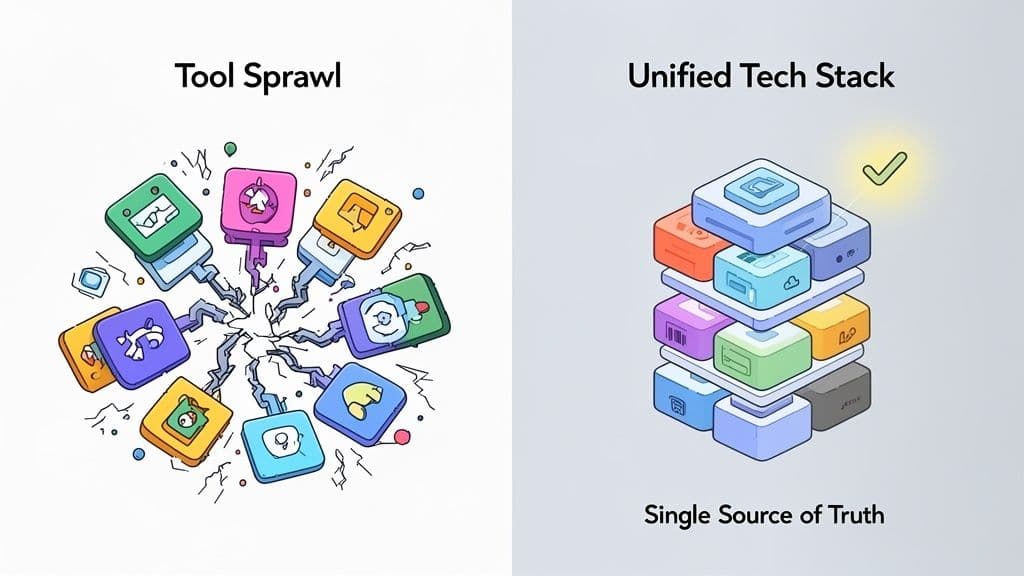
Let's talk about tools. The right ones can be a massive force multiplier for a good workflow, but the wrong ones? They just create more noise and frustration.
So many teams suffer from "tool sprawl"—a messy, ever-growing collection of disconnected apps that splits information into a dozen different places. This is how you end up with project updates in one tool, bug reports in another, and crucial context completely buried somewhere else. It’s a recipe for disaster.
The goal isn't just to keep adding more software. It’s about building a truly integrated tech stack where every piece has a purpose and, more importantly, talks to the others. You’re aiming for less manual work, not just more apps. A great stack creates a single source of truth, turning a clunky, multi-step process into a simple one-click action.
The Core Components of a Cohesive Stack
Your tech stack should really be built around a few core pillars that mirror how your team actually works. For most software teams, this boils down to three key functions:
- Communication Hub: This is your team's digital office, the central spot for real-time chats and quick updates. Think tools like Slack or Microsoft Teams.
- Project Management System: The absolute source of truth for what needs doing, who’s on it, and when it’s due. There's a reason everyone uses platforms like Jira or Linear.
- Specialized Workflow Tools: These are the game-changers that solve a specific, high-friction problem. A perfect example is using specialized software bug tracking tools that automatically capture all the technical data, killing that painful back-and-forth between QA and developers.
The real magic is in the integration. When your bug reporting tool can instantly create a rich, detailed ticket in Jira—complete with a session replay, console logs, and network requests—you've just eliminated multiple points of failure and saved your team hours.
Picking tools that work together seamlessly isn't a luxury anymore. It's a strategic must-have for any team that wants to collaborate effectively and stay ahead.
Making Smart Choices in a Crowded Market
The shift to remote and hybrid work has made collaboration tech more critical than ever. With 12.7% of employees fully remote and another 28.2% in a hybrid model, the digital workspace is the main workspace for many.
This new reality has also amplified the pain of a disjointed tech stack. One study found that employees who have to juggle 10 or more apps report a 54% rate of communication issues. That’s a huge jump from the 34% reported by those using fewer than five. This just underscores the urgent need for a unified approach.
When you're looking at your options, it helps to check out roundups of the top collaboration tools for remote teams. But don't just look at a list of features. Ask yourself how a new tool will fit into your existing workflow. Will it genuinely reduce manual steps? Does it integrate deeply with the systems your team already relies on?
The best tools don't add to the chaos—they quiet it down by making collaboration feel effortless.
How to Measure Collaboration Success
If you don't measure it, you can't improve it. It’s that simple. When you pour effort into improving how your team collaborates, you absolutely need to see if those changes are actually moving the needle. This isn’t about tracking vanity metrics like Slack message counts; it’s about tying your new collaboration habits directly to business results.
Pivoting to concrete key performance indicators (KPIs) lets you see the real story behind your efforts. Are those new workflows genuinely making things faster? Is the team feeling more aligned and less frustrated? The data holds the answers, helping you spot what’s working, uncover hidden bottlenecks, and justify further investment in better processes.
Key Metrics for Collaboration ROI
To get a true sense of your progress, you'll want to track a mix of quantitative (the hard numbers) and qualitative (how the team feels) metrics. This combination gives you a balanced view, ensuring you’re not just chasing a number on a chart but actually improving the day-to-day experience of working together.
Here are a couple of powerful KPIs to get you started:
- Time to Resolution (TTR): This one's a classic for good reason. It measures the average time from the moment a bug is reported to the moment the fix is shipped. A consistently falling TTR is a fantastic sign that your triage and handoff processes are getting much more efficient.
- Cycle Time: This tracks the clock from when a developer first picks up a task—be it a feature or a bug—to when it's live. Shorter cycle times are a great indicator that things like code reviews and internal communication are becoming smoother and less of a roadblock.
Don't just stare at the numbers; look for the trends. A sudden spike in TTR might flag a new process that’s causing friction. On the flip side, a steady drop in Cycle Time is a huge win—something you should celebrate with the team to reinforce all the good habits you’re building.
Beyond the Numbers: Team Health Checks
Numbers tell you what is happening, but talking to your team tells you why. You'll only ever get half the story if you don't ask people for their perspective. This is where anonymous surveys or regular team health checks come in.
You can ask direct, simple questions to gauge sentiment:
- On a scale of 1-10, how easy is it to get the context you need to do your work?
- Do you feel our code review process is constructive and helpful?
- How much time do you think you lose each week to unnecessary back-and-forth?
When you pair this kind of feedback with your hard metrics, you get a complete, actionable picture. For example, maybe your TTR is down (a win!), but developers are still venting about the quality of bug reports. Now you know exactly where to focus your next round of improvements.
This holistic approach to measurement is a cornerstone of truly understanding and improving your team's output. For a deeper dive, check out our guide on how to measure developer productivity.
Got Questions? We've Got Answers
When teams decide to overhaul how they work together, the same questions always surface. Getting the answers right is often the difference between a change that sticks and one that fizzles out after a few weeks. Let's tackle some of the most common hurdles teams face when they try to move from chaotic communication to focused, productive collaboration.
These aren't just hypotheticals. They're the real, in-the-trenches problems that trip up teams every day.
What's the Single Biggest Collaboration Mistake You See?
Hands down, the biggest mistake is buying a new tool before fixing the broken process. It’s so easy to fall into the trap of thinking some fancy new software will wave a magic wand over all your problems. It won't. In fact, it usually just amplifies the chaos.
Think about it: if your bug reports are a mess of vague, context-free complaints, a shiny new project management tool just helps you share those useless reports faster. The core problem—the bad report—is still there.
Before you even look at a pricing page, you have to map out your process. Get the team in a room (virtual or otherwise) and agree on who does what, when. Define your rituals, nail down your triage workflow, and get your handoffs clean. Only then should you look for a tool to support those solid habits.
How Can I Get Leadership to Approve a New Collaboration Tool?
You have to speak their language, which is the language of business outcomes. Stop talking about features and start talking about impact. Your pitch isn't about what the tool is; it's about what it does for the company's bottom line.
You need to build a rock-solid business case. Focus on the metrics that make executives sit up and listen:
- Show Them the Money (Wasted): Do a quick calculation. How many hours a week do your developers waste just trying to reproduce a bug? Multiply that by their loaded cost. Suddenly, that "minor annoyance" is a $50,00t a year problem.
- Connect to Company Goals: Draw a straight line from faster bug resolution to higher customer satisfaction scores and lower churn rates. A better internal process directly impacts the customer experience.
- Frame it as an Investment, Not a Cost: Don't ask for budget; present an ROI. "This tool costs us X per month, but our analysis shows it will save us Y in engineering time and reduce customer-reported bugs by Z%."
Do We Really Need a Formal Process? We're a Small Team.
Yes. A thousand times, yes. It's actually more critical for small teams to build good habits early on. What feels like quick, informal chats in a team of three becomes a five-alarm fire in a team of ten.
Putting a lightweight process in place now is what allows you to scale without everything falling apart.
This isn't about creating red tape. It’s about building a shared playbook so work is predictable and nobody is a single point of failure. A few quick wins from this guide—like a simple RACI chart for who owns what, or adopting a structured bug report template—can create a foundation that will serve you for years to come.
Monito keeps screenshots, console output, and network requests from its own test run. It does not record a teammate's or a customer's session, and it does not file the ticket. Pricing.
Related posts
- Check localhost with monito check --local
- Have a coding agent run monito check
- Run the same checks on every deploy